Sellvio allows you to log the paths that customers attempted to access but couldn’t reach (resulting in a 404 page).
The 404 log administration page can be accessed in the administration sidebar under SEO → 404 Log.
- Timestamp – The exact time when the visitor attempted to access the unavailable content.
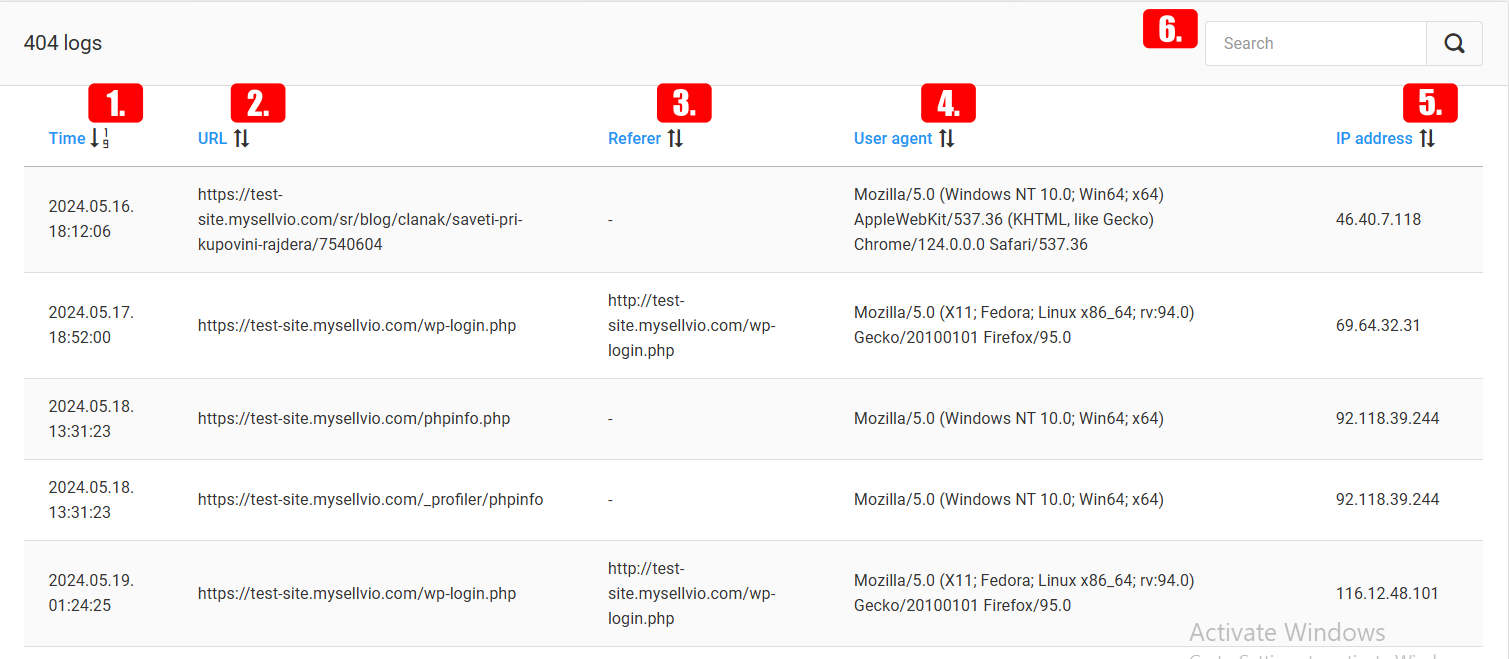
- URL – The URL (address) of the content the visitor tried to reach.
- Referrer – The referrer URL, if the visitor attempted to access the unavailable content from another link.
- User Agent – The type of web browser used by the visitor to attempt accessing the unavailable content.
- IP Address – The IP address of the visitor at the time they tried to access the non-existent content.
- The search bar allows you to search within any column of the log.