When it comes to payment options, Sellvio truly stands out as a leading platform. The wide range of payment methods and flexible configurations provide an exceptional experience for both business owners and customers. Let’s explore how Sellvio shines in the realm of payment methods and how it can enhance the overall shopping experience.
Sellvio offers two types of payment methods:
Standard payment types
Special payment types
Standard payment methods
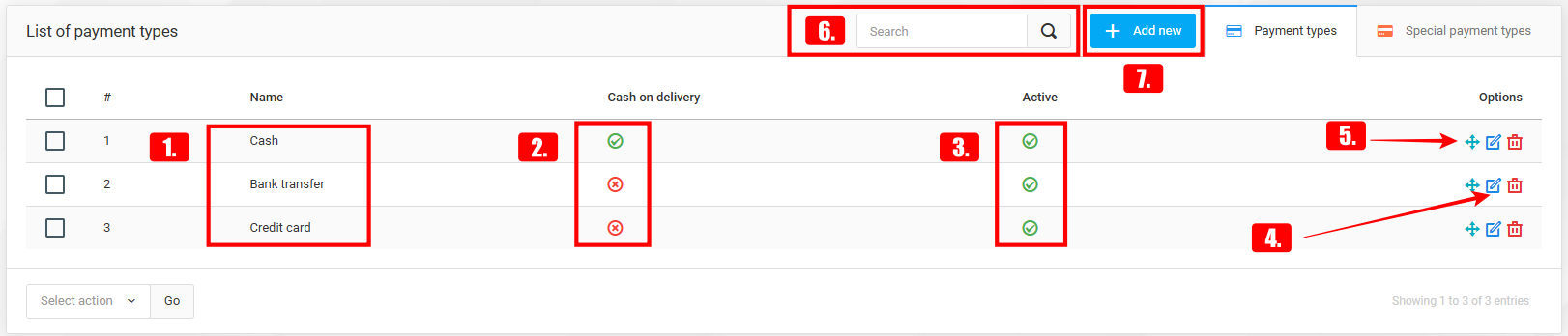
Sellvio starts with three standard payment methods.
However, there is no limit to the number of additional payment methods that business owners can create. This flexibility allows business owners to finely customize the payment process to meet their unique business needs and customer preferences.
Name – the name of the payment method.
Cash on delivery – this determines whether the payment method is treated as cash on delivery.
Active – only active payment methods are displayed on the payment page.
Administrators can manually arrange the order in which payment methods appear on the payment page.
By clicking the "Edit" button, store owners can modify existing payment methods.
To search for a specific payment method, simply enter its name in the search bar and click the "magnifying glass" icon.
New payment methods can be added at any time by clicking the "Add new" button.
Adding or editing standard payment types
Creating new payment types in Sellvio is as simple as adding any other type of content.
- Name – the name of the payment type. This name will appear on the payment page, so it must be provided in every language used by the webshop.
- Cash on delivery – This setting determines whether the payment method should be handled as cash on delivery. This option is important for the Shipping Methods settings, as shipping fees based on weight can be configured for cash on delivery and bank transfer payments.
- Allowed price categories – it can be selected which payment options are available separately for wholesale (B2B) and retail (B2C) customers.
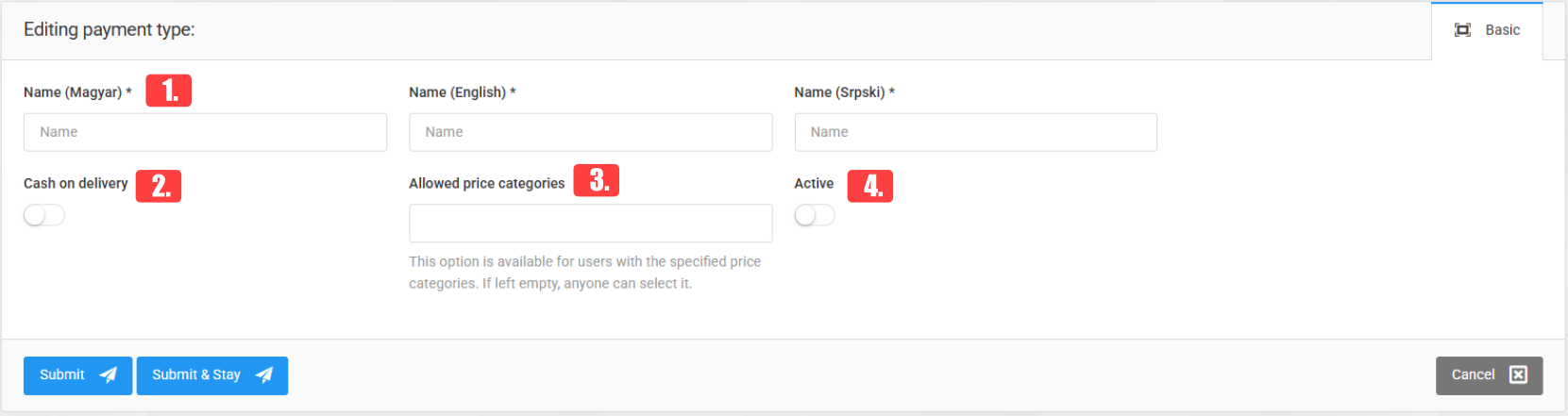
- Active (enabled by default) – defines whether the payment method can be used during the checkout process. Disabled payment methods will not be available to customers on the payment page.
IMPORTANT: It’s important to note that, except for cash on delivery, all payment methods are automatically classified as bank transfer payment methods.
Configuration options in the purchase process
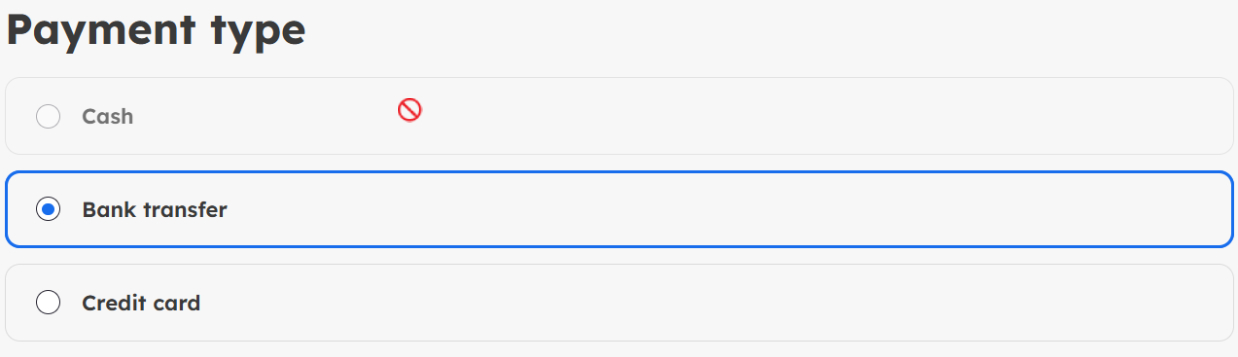
If we want a specific product to be available only with prepayment, the Cash on Delivery option must be disabled (and the “Advance payment required” option must be activated for that product).
If the Cash on Delivery option is enabled, it will not be available for that product during the purchase process.
Special payment types
In Sellvio, "Special payment types" refer to third-party payment service providers or gateways.
These payment options are typically tied to the specific country and currency of the webshop. It’s important to note that not all payment providers are available in every country, and not all of them support every currency. Therefore, the availability of these special payment methods depends on the webshop’s country and currency.
Enabling and activating a special payment method doesn’t necessarily mean it will be immediately usable during payment. Each payment provider must enter into a contract or agreement with the webshop owner.
This contract allows the store owner to obtain the necessary parameters from the provider, which are then used to configure the payment method in Sellvio.
More information about Special payment types can be found here.
Supported – the payment provider supports the webshop’s country and currency settings.
- Not Usable with your settings (Check the country and currency settings under general settings) – This indicates that the store's country setting is NOT supported by the payment provider.
- Supported — the payment provider supports the country and currency settings of the webshop.
- Active (Green) — the payment provider is active and properly configured.
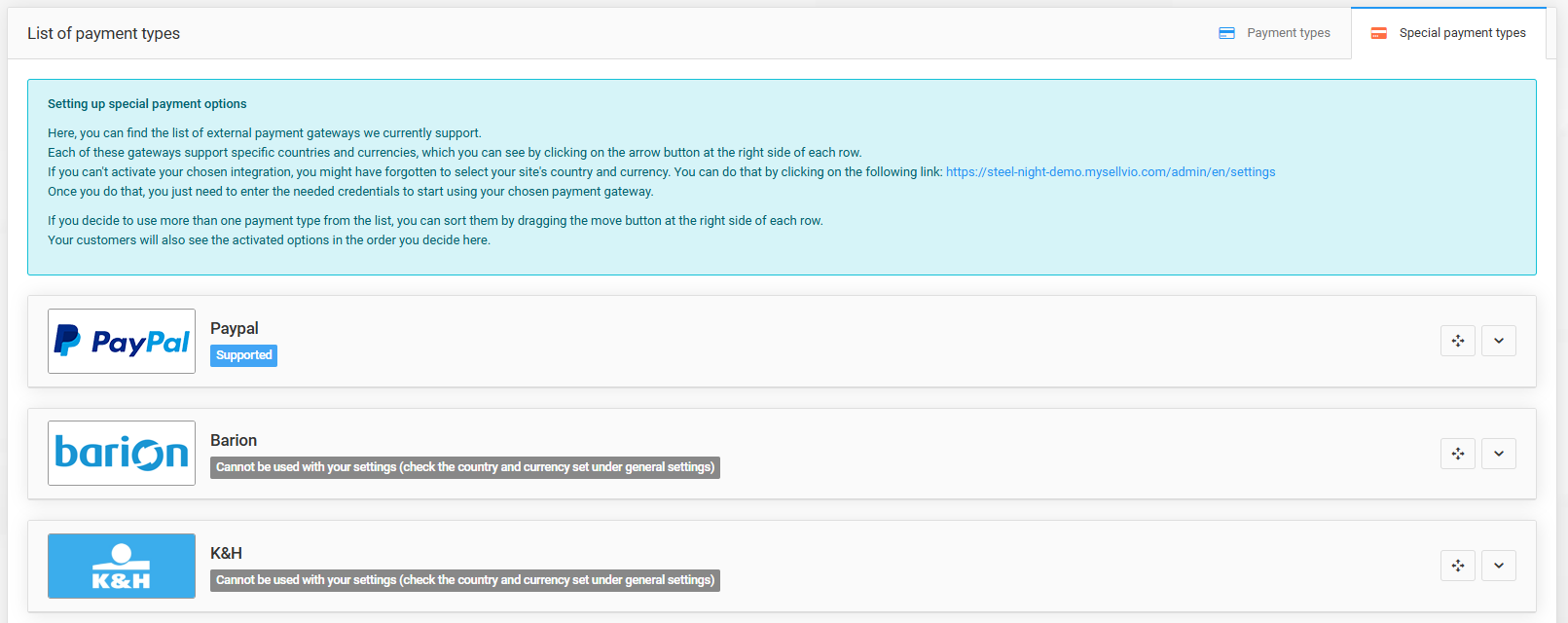
- Active (Red) — the payment provider is active and correctly configured, however, due to a recent change in the store's country or currency setting, the provider is temporarily not supported.