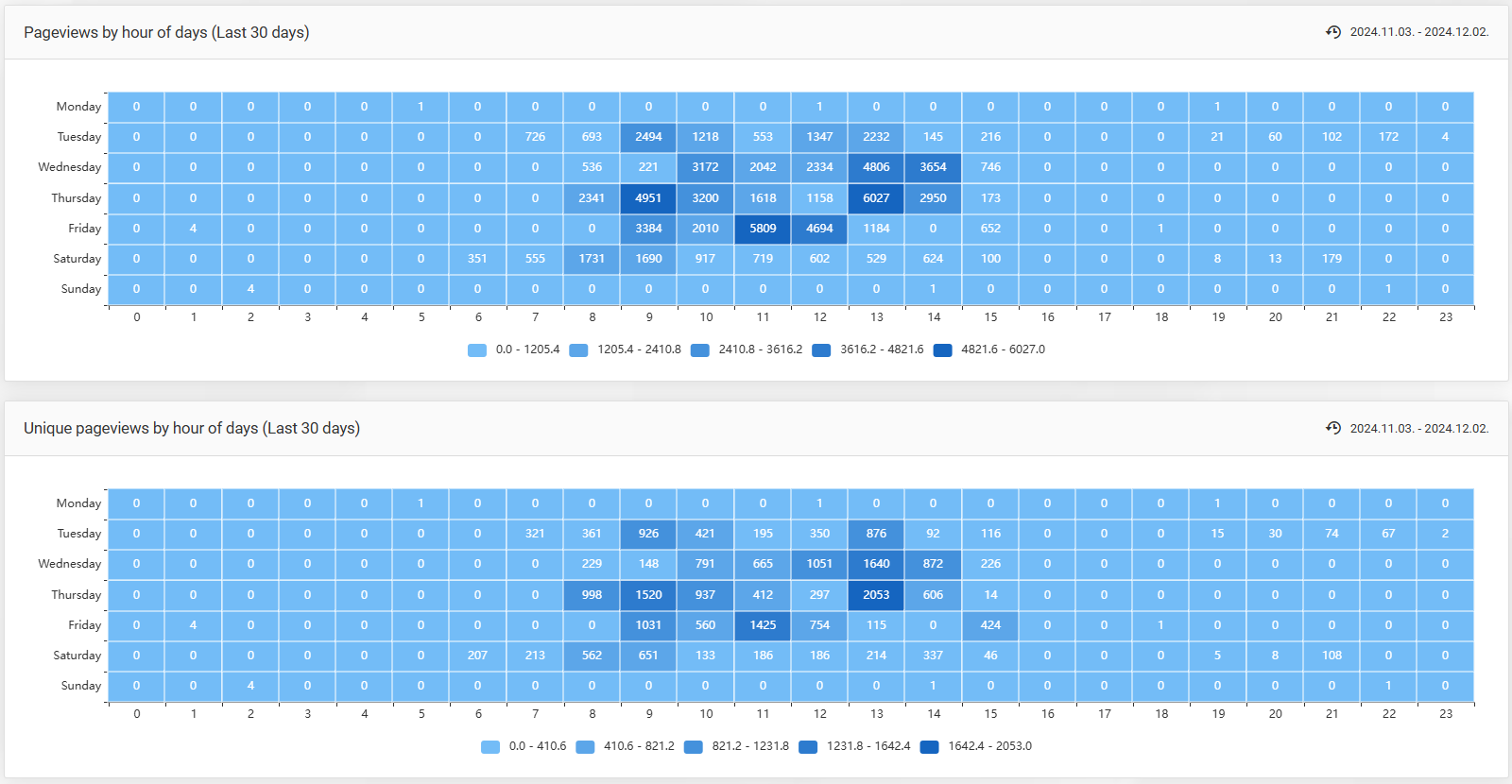
Page views by hour of the day (Last 30 days) - The table displays the total number of page views for each hour of the day over the past 30 days, broken down by day of the week. Hovering over a specific day/hour shows the total recorded visits for that day and hour.
Unique page views by hour of the day (Last 30 days) - The table shows the number of unique page views for each hour of the day over the past 30 days, broken down by day of the week. Hovering over a specific day/hour displays the total number of recorded unique visits (visitors who have not previously visited the e-commerce store) for that day and hour.
Recent administrator and user logins
- Recent administrator logins: This section displays the last 10 login attempts on the administration screen in reverse chronological order.
- Recent user logins: This section shows the last 10 login attempts to the webshop in reverse chronological order.
- Admin or User - The name of the administrator or registered customer who attempted to log in.
- Time - The exact date and time of the login attempt.
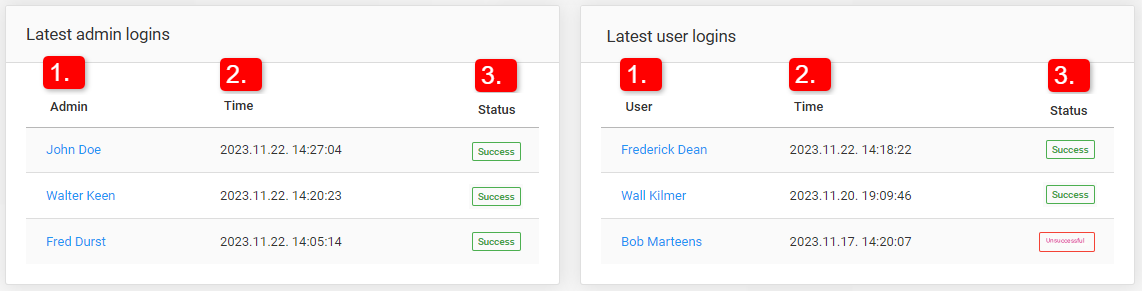
- Status — the result of the login attempt, which can turn out in two ways:
- Success - The login attempt was successful.
- Unsuccess - The login attempt was unsuccessful.
Clicking on the user’s name redirects the administrator to the user's edit page in the administration panel.