Billing services are designed to simplify the invoicing process, making it easier for businesses to manage their finances, handle taxes, and comply with their country's accounting and tax regulations.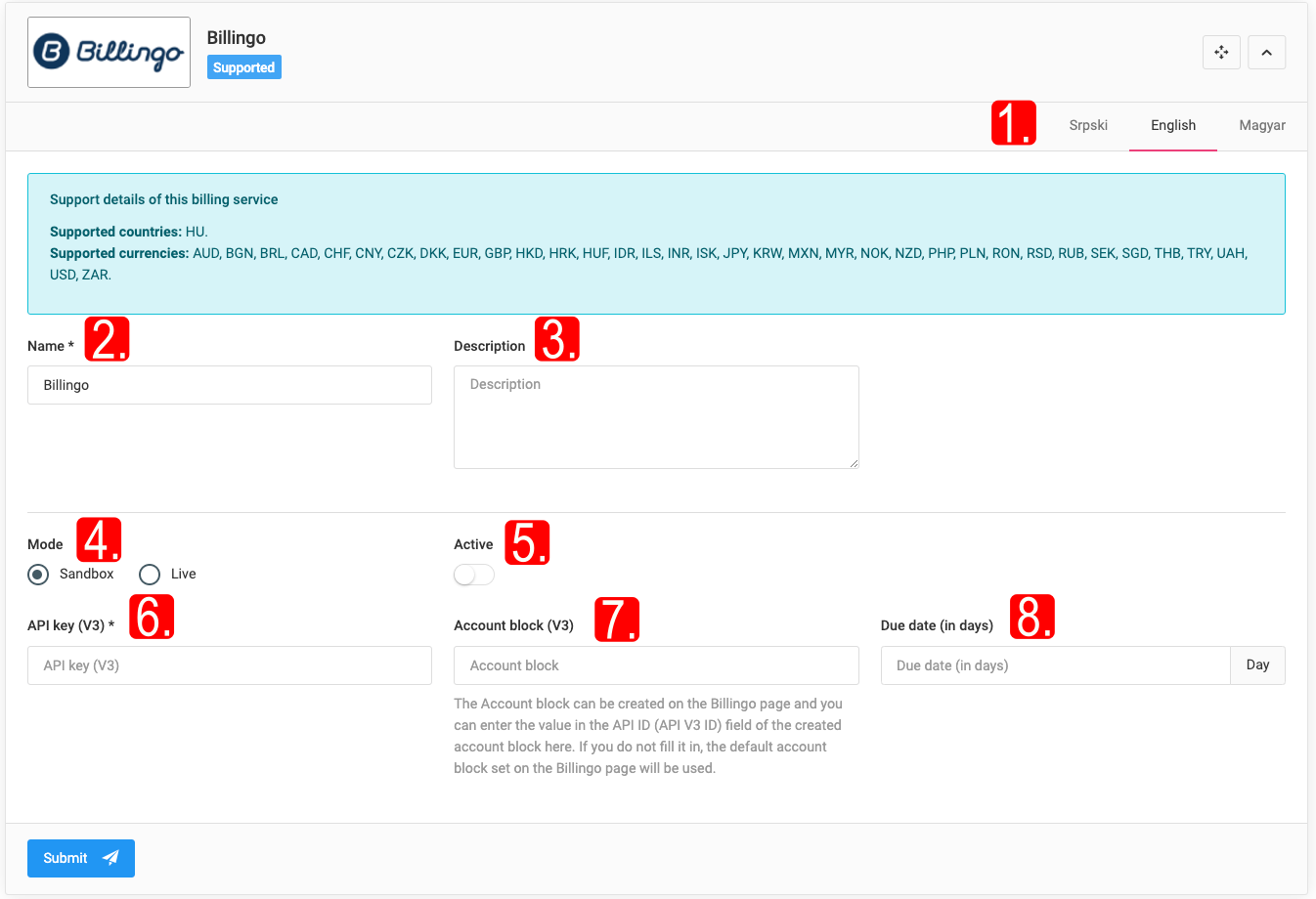
Sellvio includes integration with several Hungarian and Serbian billing services, simplifying the process for business owners to transfer customer orders to their preferred billing service..png)
Please note that not all billing services are available in every country..jpg)
IMPORTANT: All billing service plugins in Sellvio require the store owner’s company to establish a contract with the respective billing service provider.
Once the contract is signed by the store owner and the billing service provider, the provider will supply the store owner with the necessary credentials and configuration parameters. These can then be entered into the configuration fields of the Sellvio plugin’s setup form..jpg)
Billingo.hu
Billingo.hu is a Hungarian online invoicing and financial management platform, primarily for businesses operating in Hungary.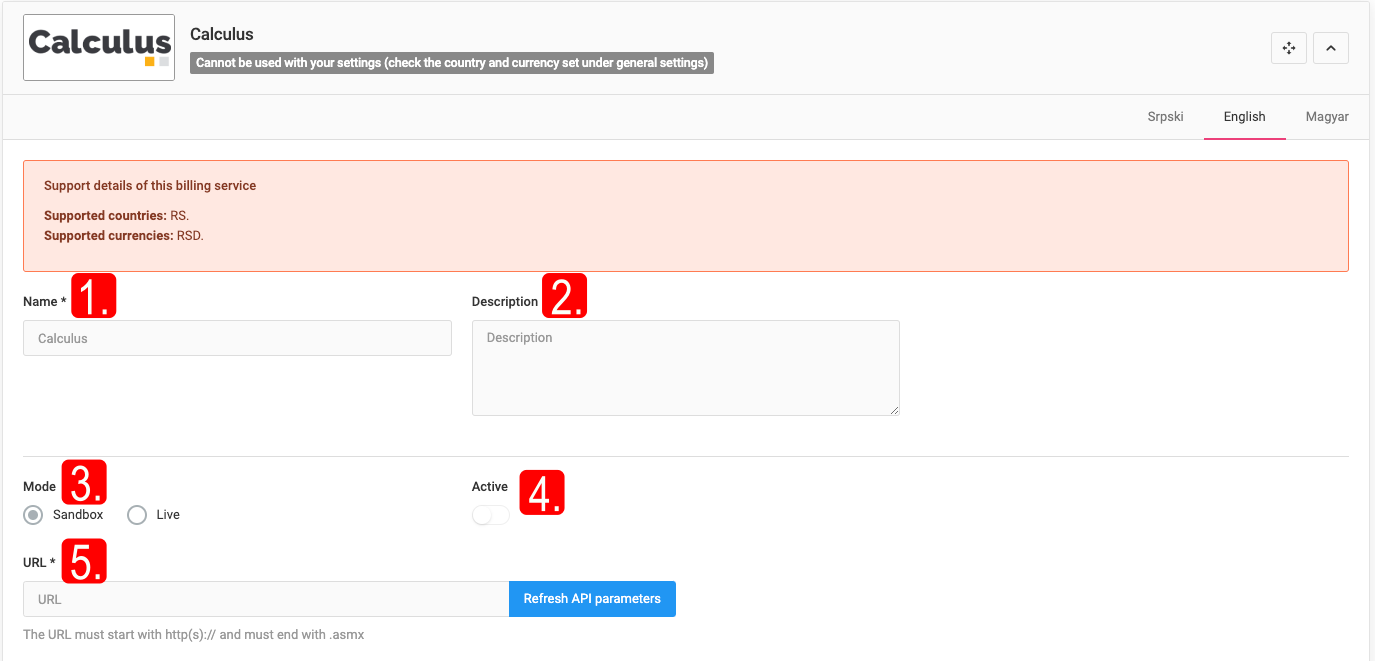
IMPORTANT: Billingo.hu is supported only in Hungary.
API key (V3), Invoice block (V3), Payment deadline (in days) - required data.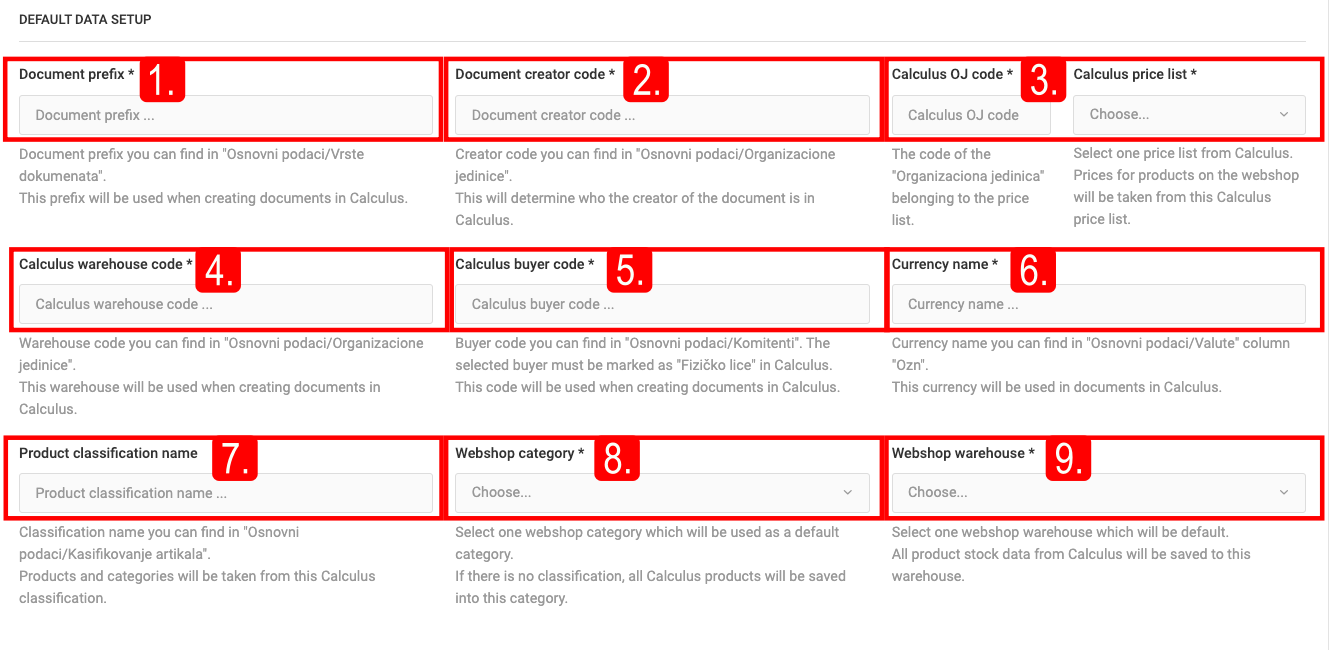
Submitting orders to Billingo.hu: on the order editing page, clicking the "Invoicing" button opens the invoicing details window (Invoicing service, Payment, Delivery date, Payment deadline, Rounding, Note), and then clicking the "Invoicing" button sends it to Billingo.hu. The invoice can be downloaded in PDF format, and the order also appears under the Billingo.hu account.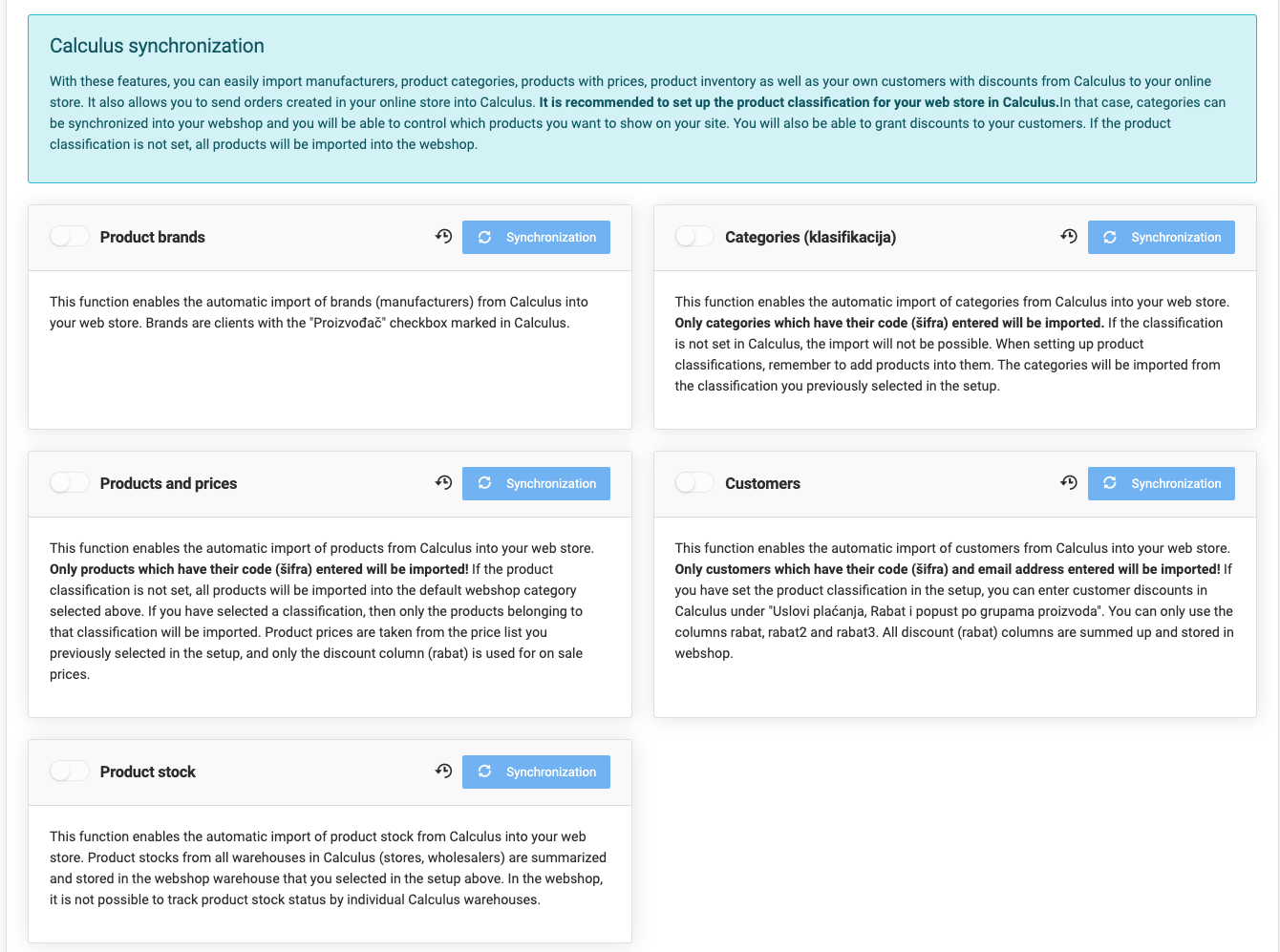
IMPORTANT: Only one invoice can be generated for a specific Sellvio order using the same invoicing service.
Calculus
The Calculus ERP program offers business software solutions (procurement, production planning, customer management, finance, HR, e-invoicing, electronic document management). Manufacturers, categories, products (with prices and stock) and customers can be imported from Calculus ERP; orders can be sent back to Calculus.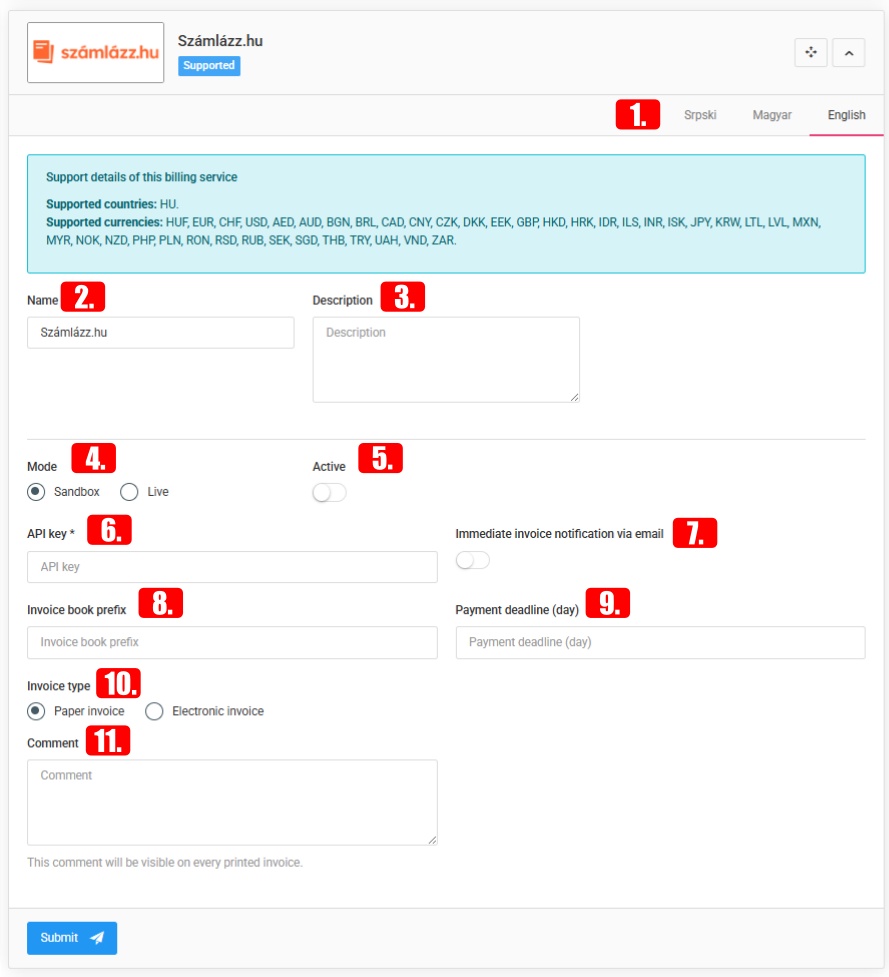
IMPORTANT: Calculus is supported only in Serbia..jpg)
URL - the public IP/URL required to access the Calculus API service, together with the server port, using the "Port forwarding" method.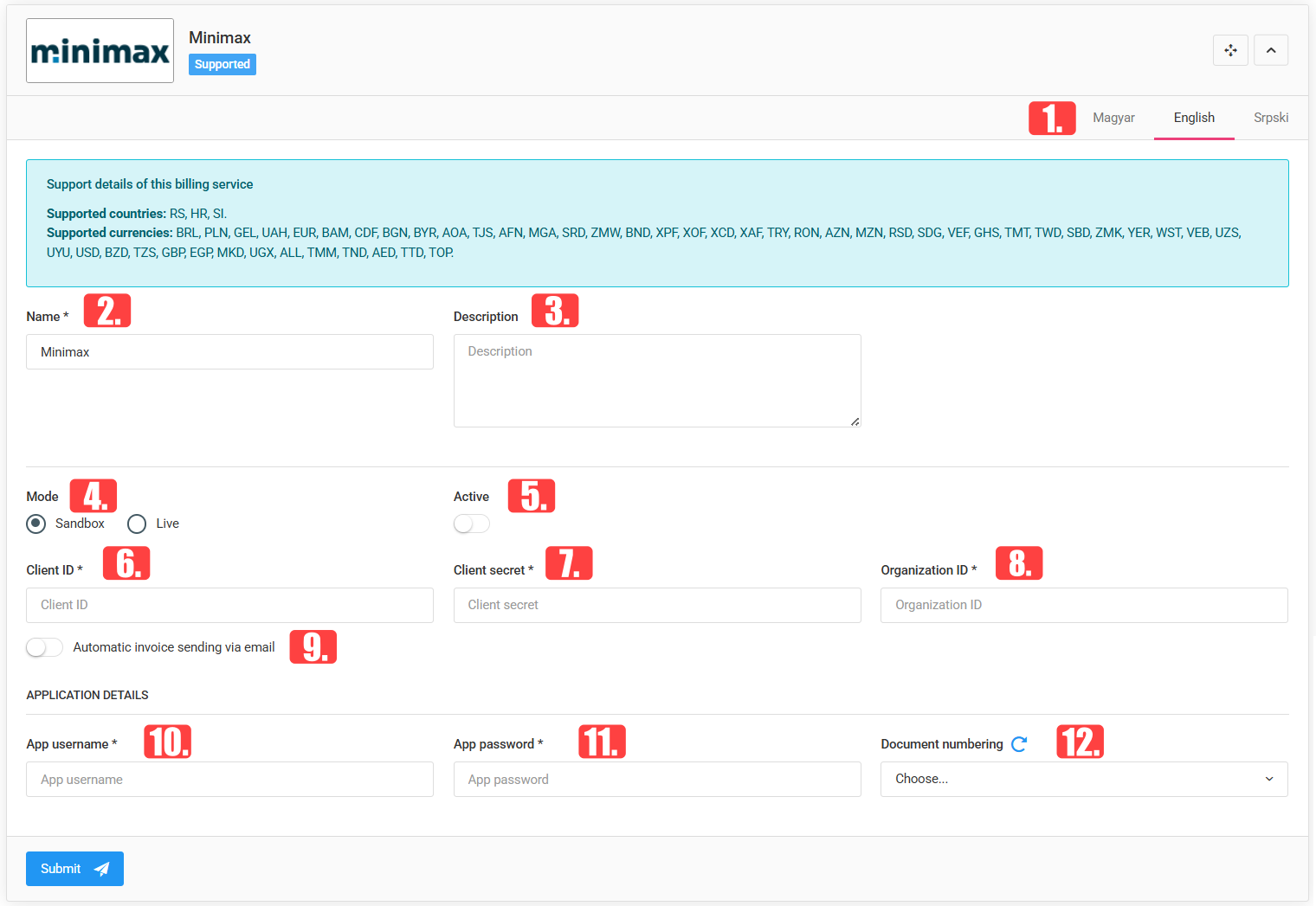
Default data: Document prefix, Document creator code, Calculus price list, Calculus warehouse code, Calculus customer code, Currency name, Product classification name, Webshop category, Webshop warehouse.
Calculus synchronization: Product brands, Categories, Products and prices, Customers, Product stock - can be imported automatically from Calculus based on the code identifier (šifra).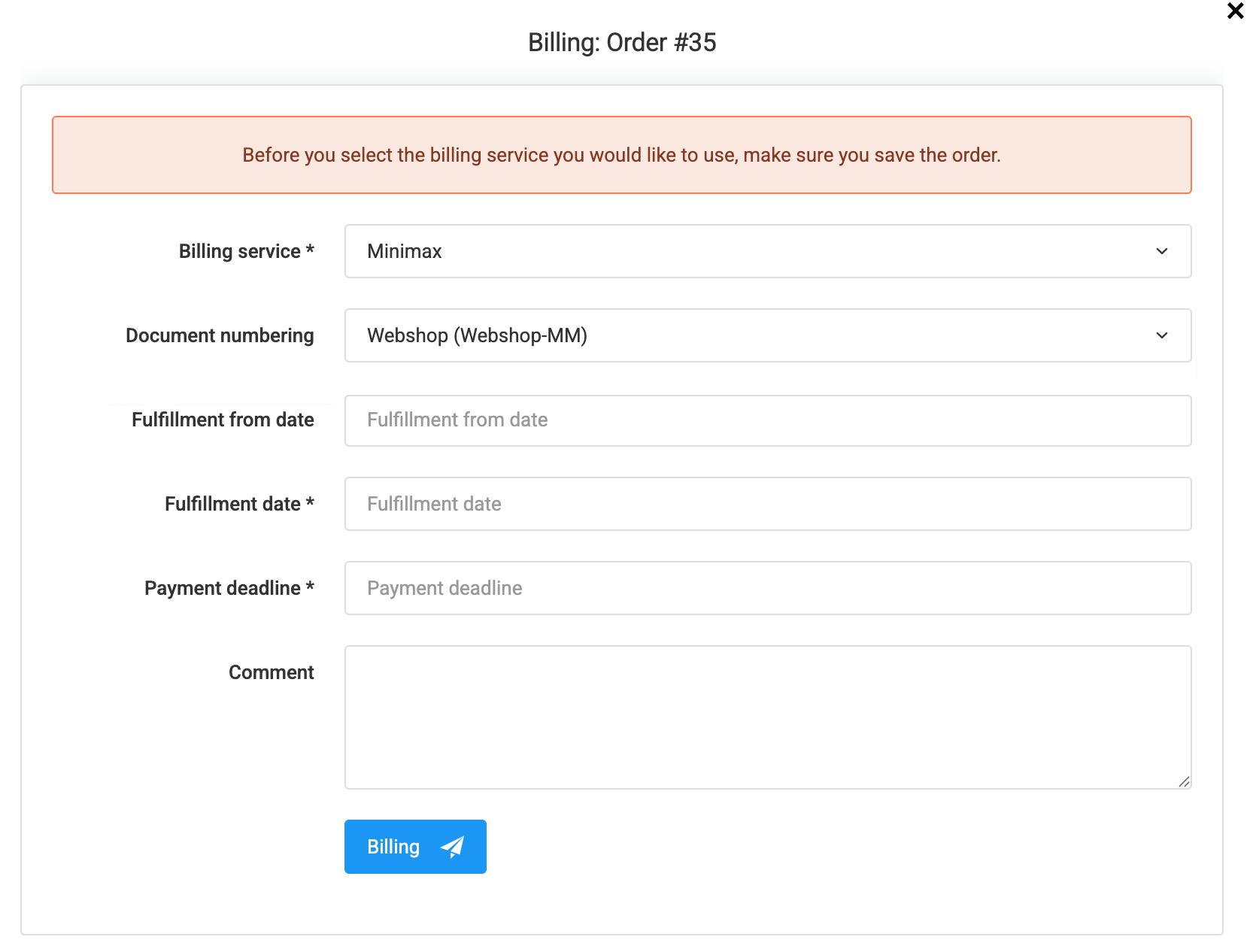
Szamlazz.hu
Hungarian online invoicing and financial management platform.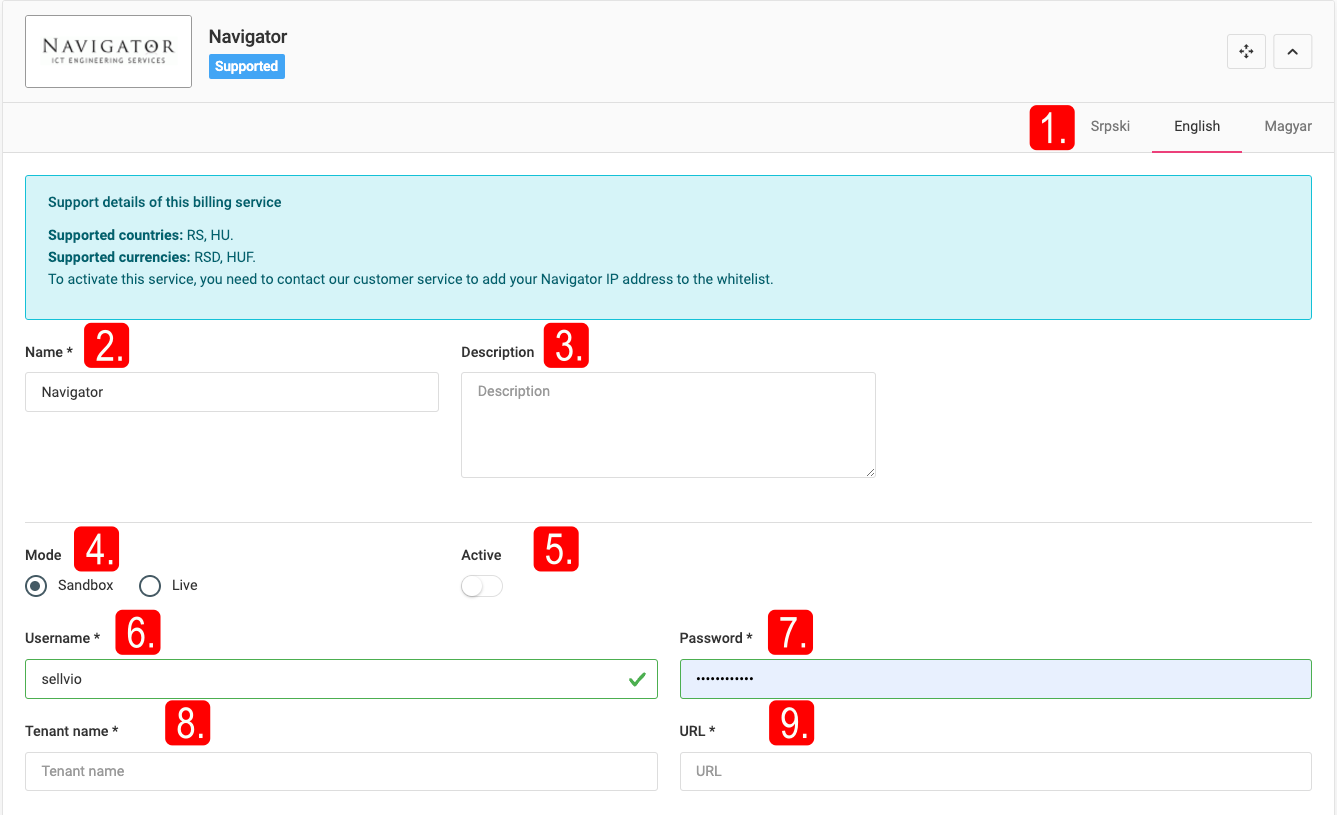
IMPORTANT: Szamlazz.hu is only supported in Hungary.
API key, Instant invoice notification by e-mail, Invoice block prefix, Payment deadline (days), Invoice type (paper/e-invoice), Note - required data.
Submitting orders: "Invoicing" button → Invoicing service, Fulfillment date, Payment due date, Note → "Invoicing" button. If "Instant invoice notification by e-mail" is enabled, Szamlazz.hu notifies the owner by e-mail.
Minimax
Minimax is a widely used invoicing and accounting software in Serbia.
IMPORTANT: Minimax is supported only in Serbia.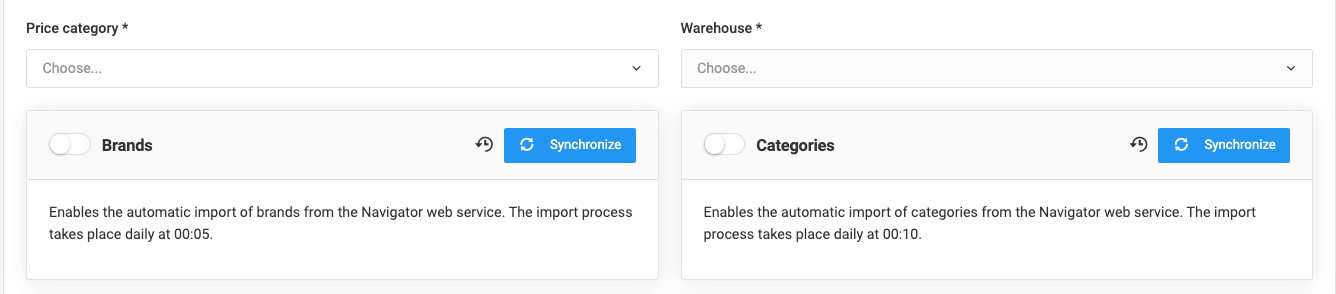
Client ID, Client secret, Organization ID, Automatic invoice sending by e-mail, Application username, App password, Document numbering - required data.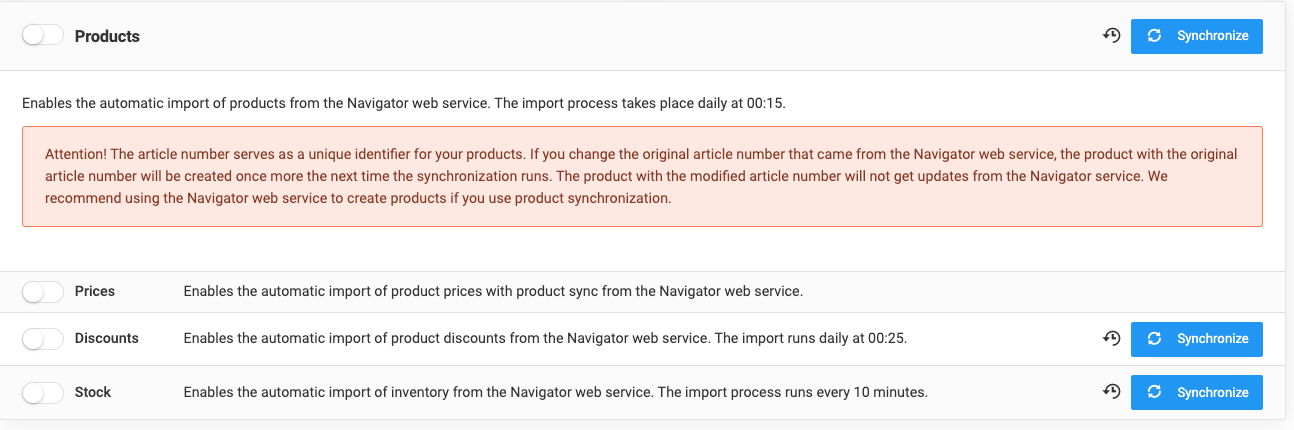
Submitting orders: "Invoicing" button → Invoicing service, Document numbering, Earliest fulfillment, Fulfillment date, Payment deadline, Note → "Invoicing" button.
Navigator
One of Serbia's most comprehensive business platforms. Beyond forwarding orders, the Sellvio Navigator extension also supports synchronizing manufacturers, categories, products, etc.
Username, Password, Tenant name, URL - data required for authentication. A "navigator ID" can be assigned to users for automatic invoicing..jpg)
Synchronizable content: Pricing, Warehouse, Manufacturers (daily at 00:05), Categories (00:10), Products (based on SKU, 00:15), Prices, Discounts (00:25), Stock (every 10 minutes). Synchronization is one-way (Navigator → Sellvio); orders are the only content that goes in the Sellvio → Navigator direction, either manually or automatically (the "Automatic" option).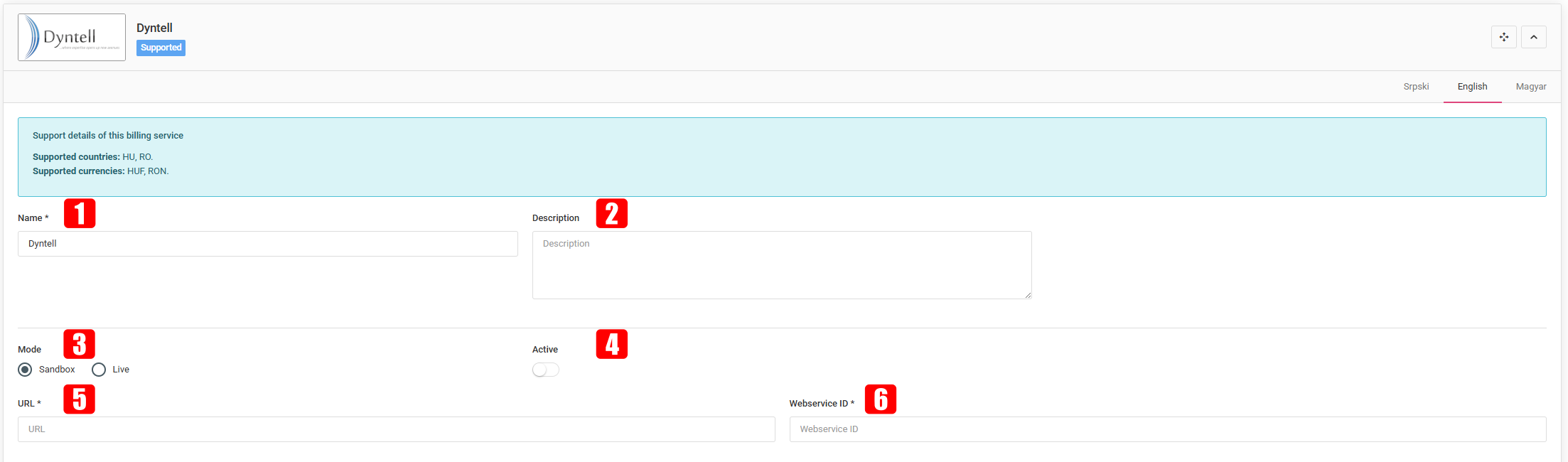
Submitting orders: "Invoicing" button → select Navigator → "Invoicing". Navigator does not return a PDF, but returns the invoice ID, which can be checked with the "PDF invoice: Navigator" button.
Dyntell
Modular ERP system for financial, inventory management and business administration processes.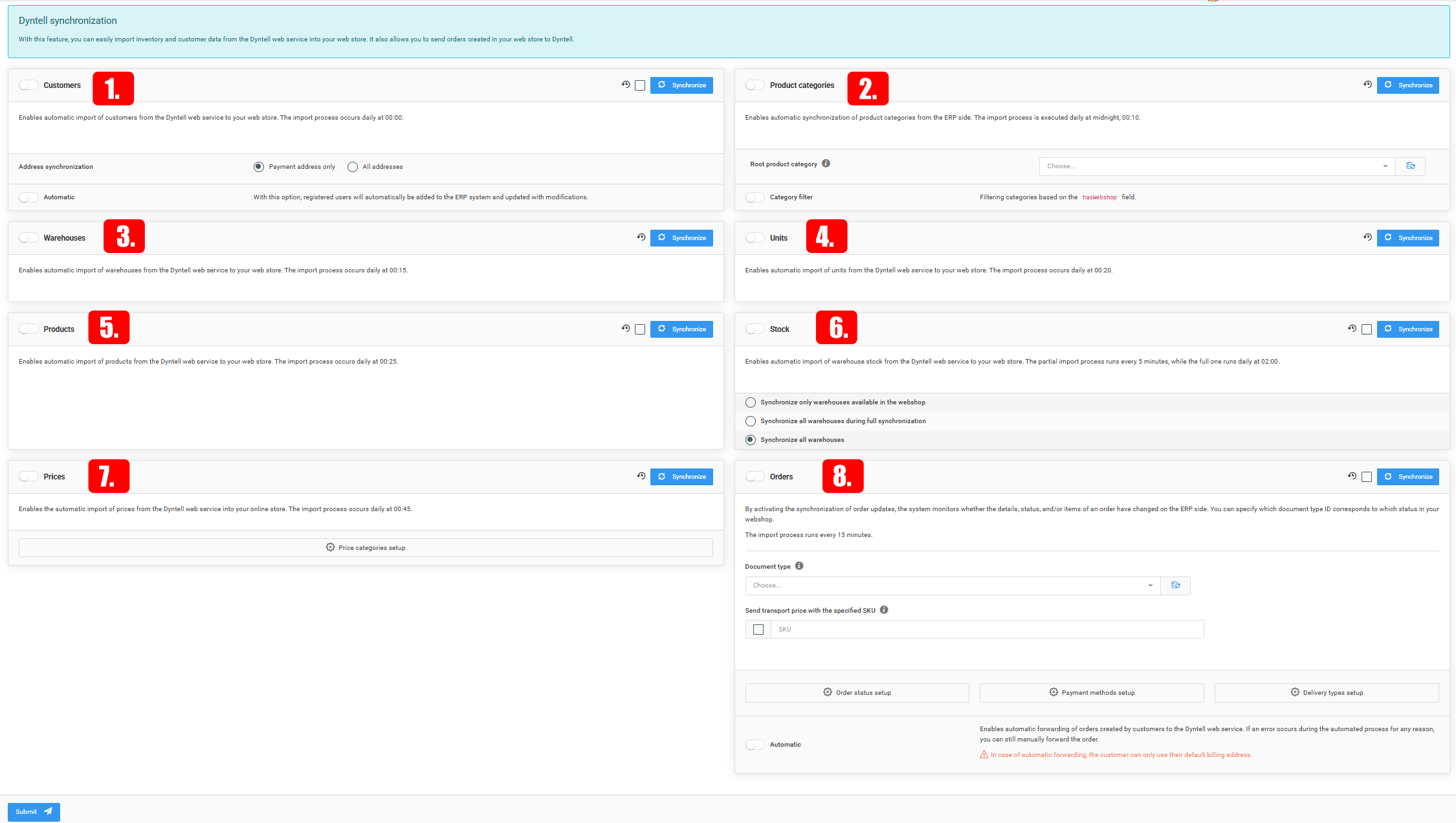
Api URL, Webservice ID - data available after registration on the Dyntell platform.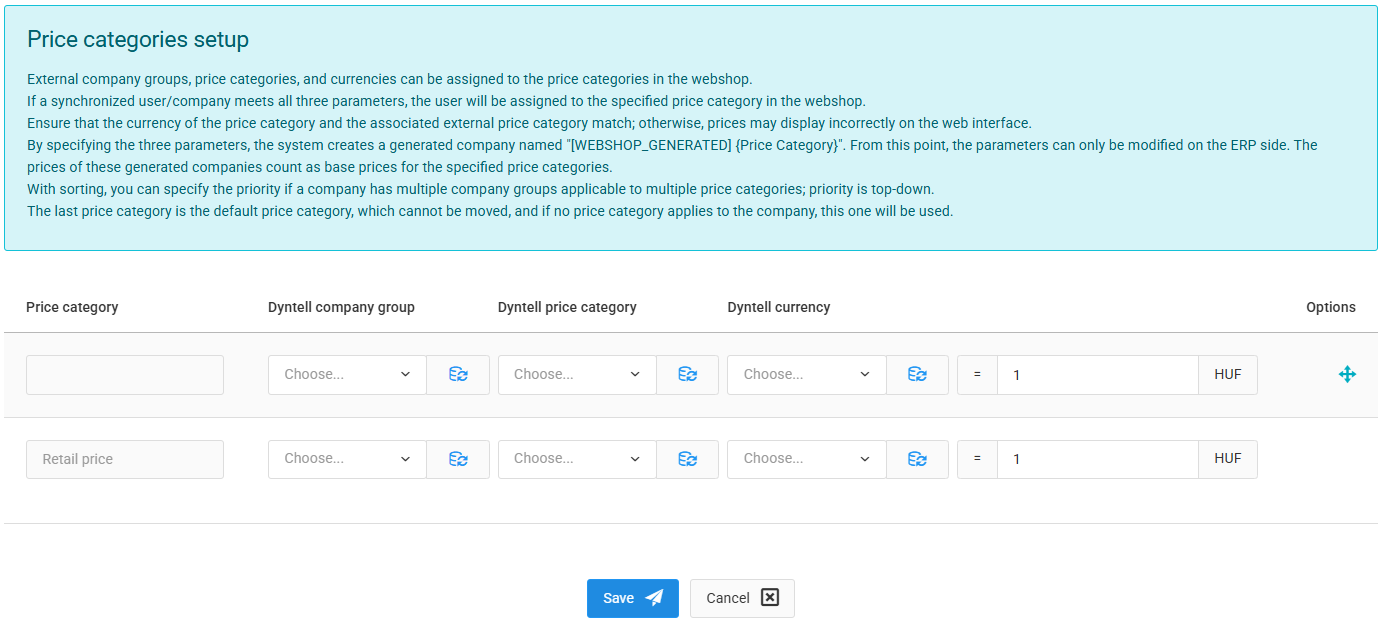
Synchronizable: Customers (daily at 00:00, two-way registration is also possible), Product categories (00:10), Warehouses (00:15), Units of measure (00:20), Products (00:25), Stock (partial every 5 minutes / full daily at 02:00, with three warehouse options), Prices (00:45, with conversion exchange rate), Orders (every 15 minutes; Document type, Sending the shipping price with an item number, Setting the Order/Payment/Shipping methods, Automatic status update).
E-faktura Serbia (SEF)
A governmental, central information exchange system for sending, receiving, recording, processing and storing electronic invoices.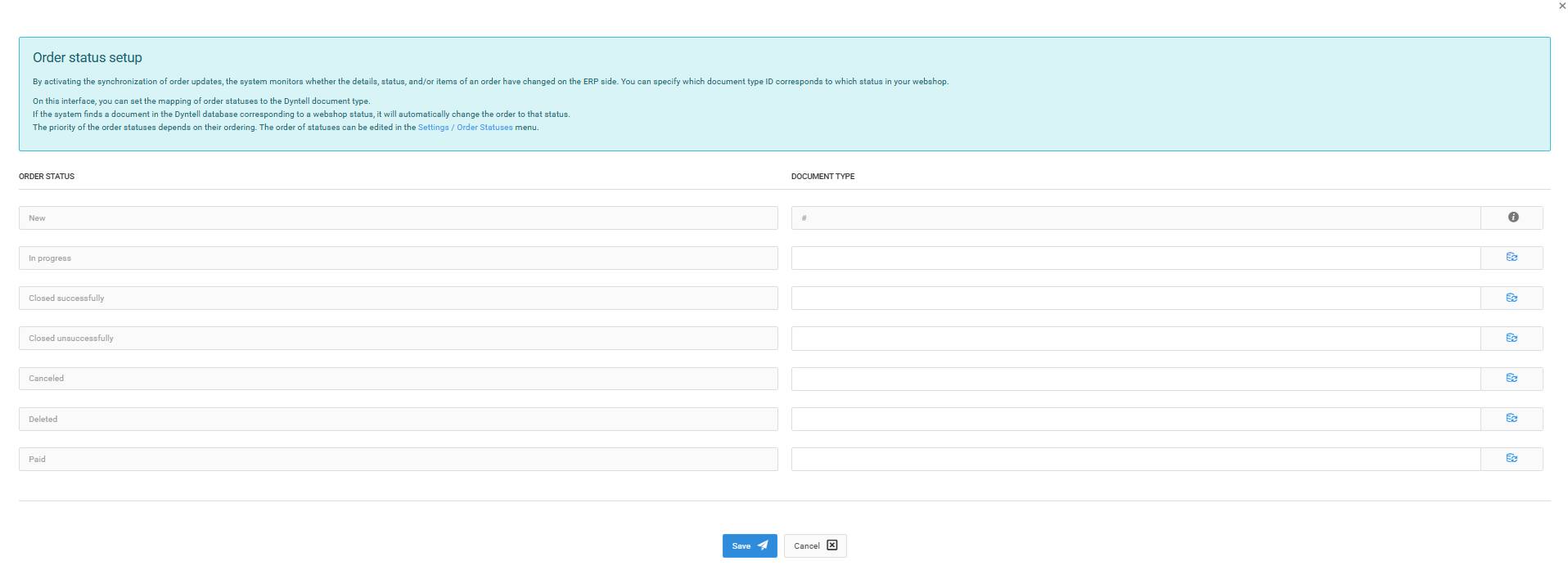
IMPORTANT: The E-faktura (SEF) invoice service is only supported in Serbia.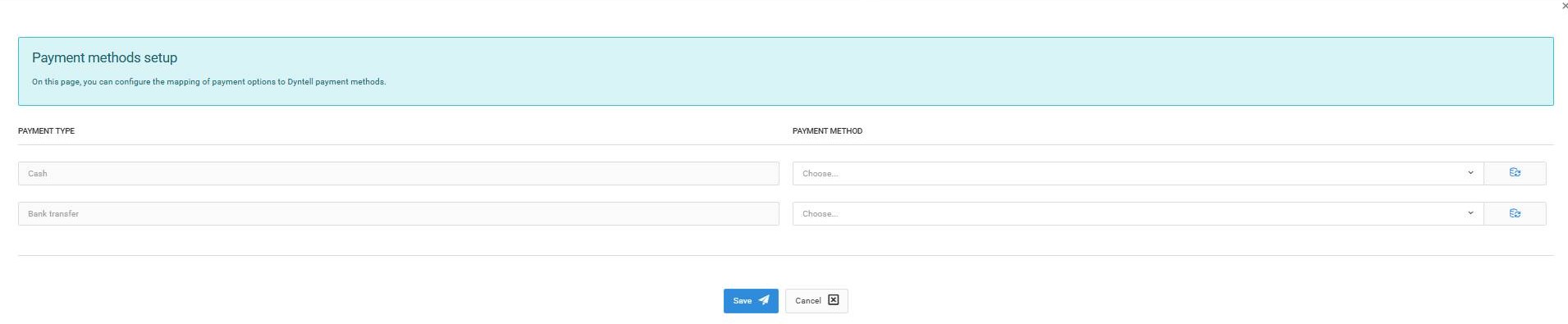
API key - obtainable after the SEF registration of the business.
IMPORTANT: Entrepreneurs can only generate an invoice for an order if the customer placing the order has a tax number and is registered with the SEF system.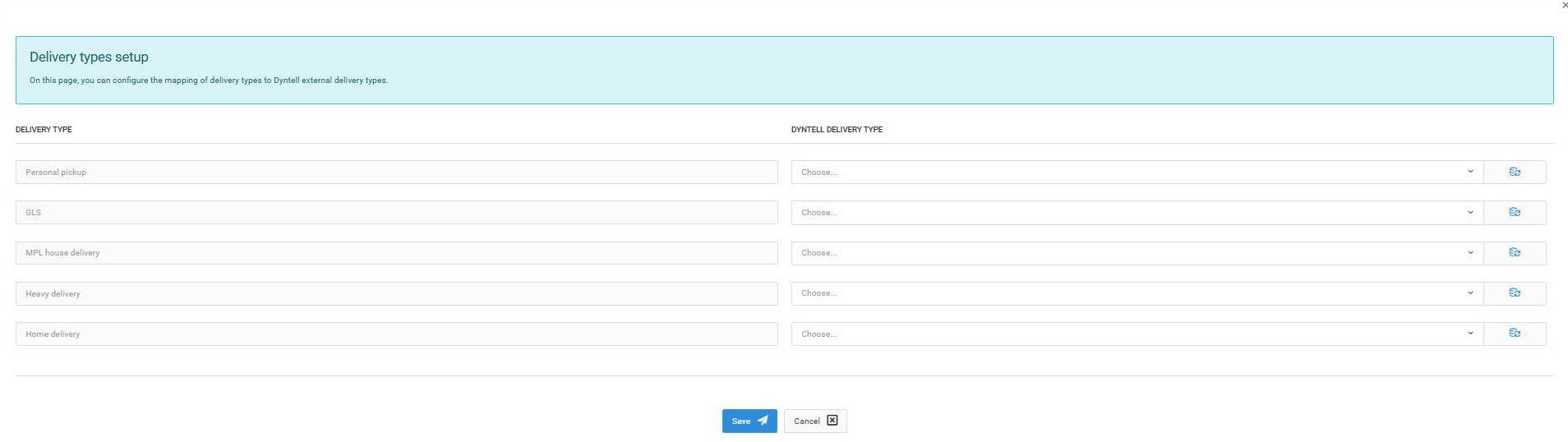
Submitting an order: "Invoicing" button → select E-faktura (SEF) → additional fields in a new browser tab: Product, Unit price, Quantity, VAT, VAT category, VAT value, Price (per row); Delivery date, Payment deadline, Recommended bank account, VAT calculation date, Notes, as well as shipping and billing address.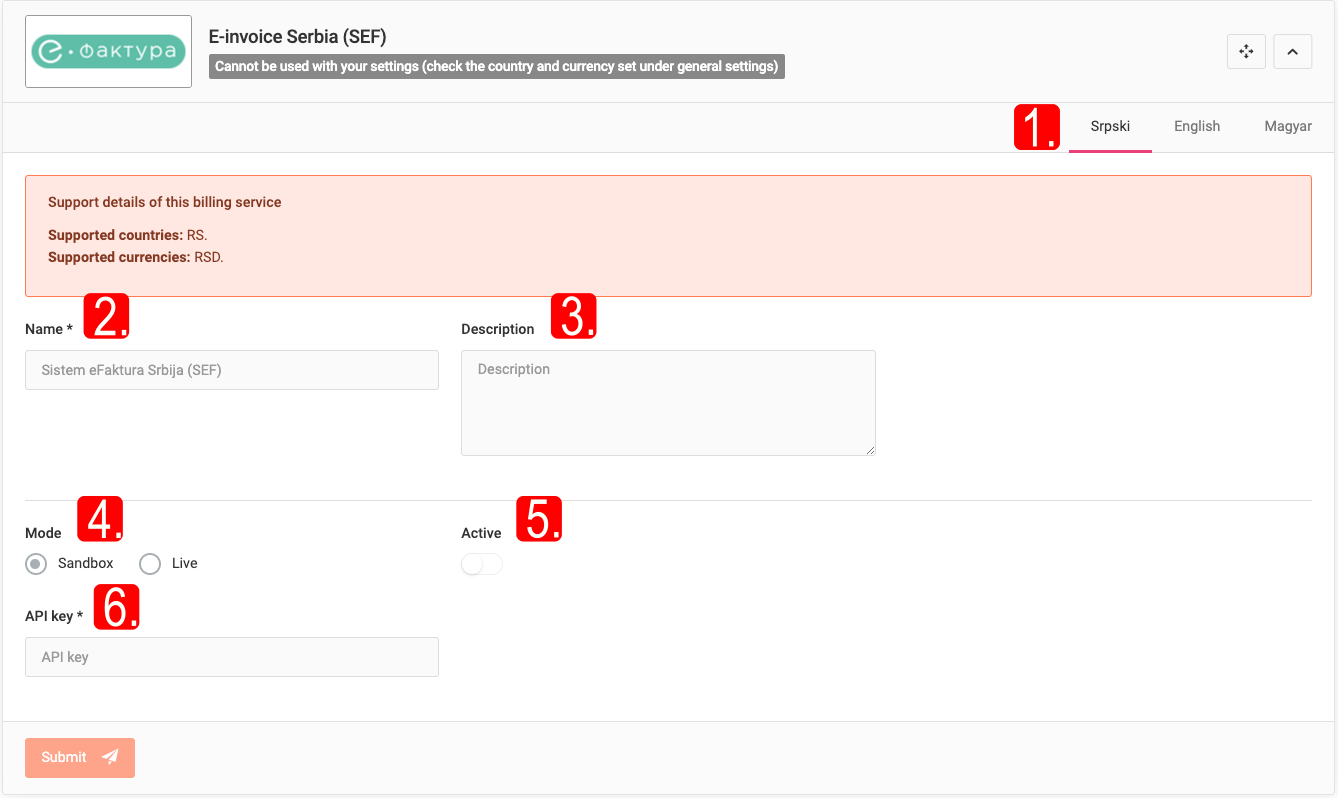
ATTENTION: In Serbia, the official VAT rate is 20%. The SEF system will not accept orders containing products with VAT rates different from 20%.
It can be submitted with the "Invoicing" button and cancelled with the "Cancel" or "Back to order" button. The invoice PDF can be downloaded with the "PDF Invoice: E-faktura Serbia (SEF)" button.
Netračuni
Cloud-based invoicing service for small and medium-sized businesses..jpg)
IMPORTANT: Netračuni is supported only in Serbia..jpg)
API key, Automatic invoice sending by e-mail, Automatic display of shipping costs - required data.
Submitting an order: "Invoicing" button → Identify customer, Optional customer field → "Invoicing"..jpg)
iCenter
A versatile system for product data management and automating financial/administrative processes; synchronization of legally compliant invoices, product data, price lists and stock information.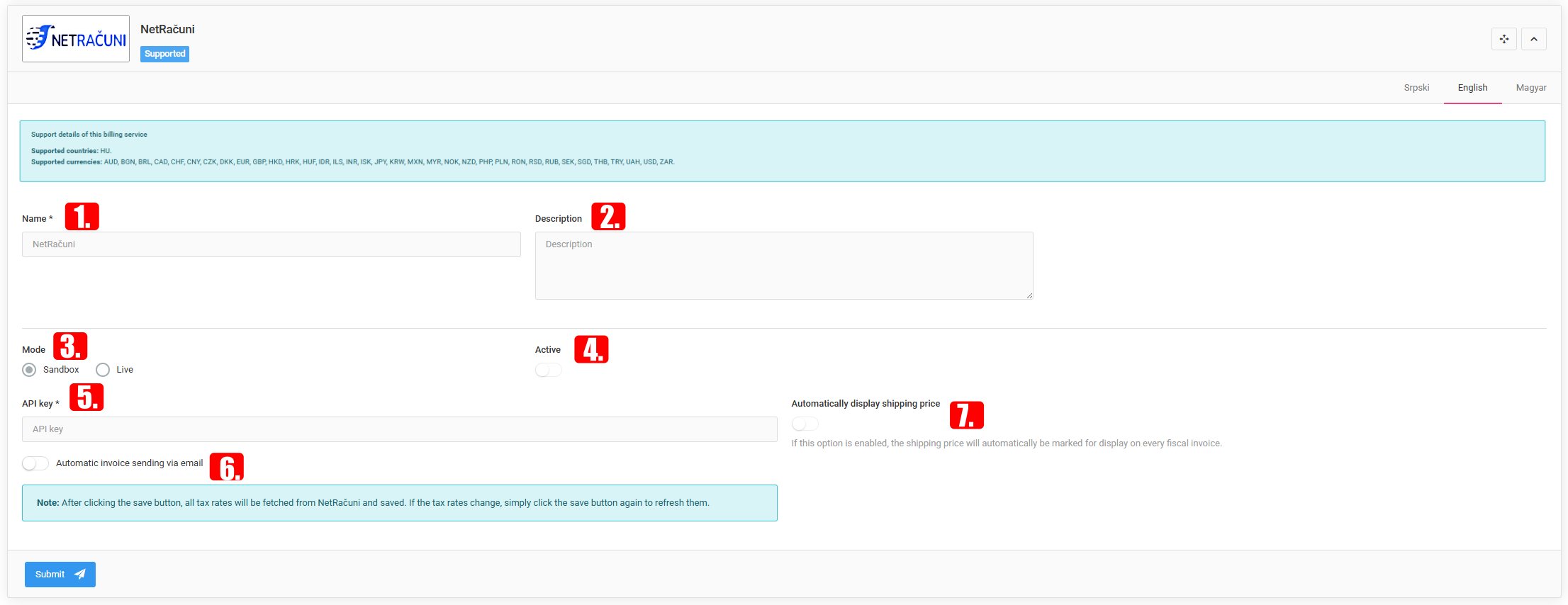
Api URL, Client ID, Username, Password - data obtainable after registration.
Synchronized fields available after the connection has been created: B2C price list, B2B price list, Webshop price list, Default iCenter customer code, Webshop warehouse, Exclusion of classifications, Customer relationship types, Product filters, Product short description/description, Product brand, Default order book B2B/B2C, Default warehouse.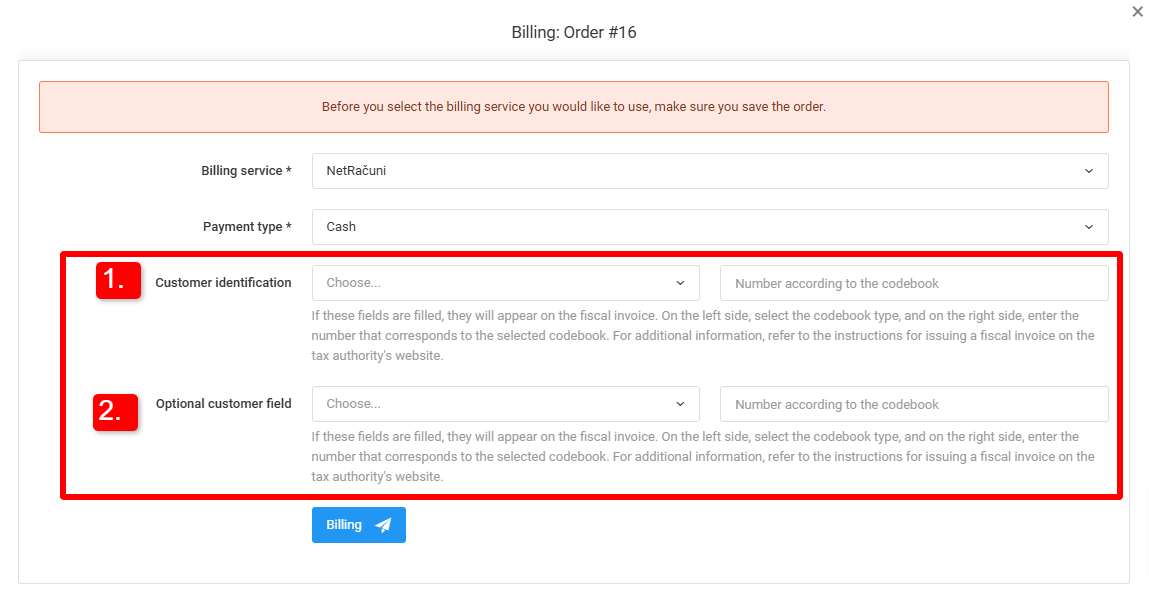
Synchronizable: Product categories, Products (only those marked for web, active, of "product" type), Disabling category/product description updates, Price lists, Product stock (aggregated from active warehouses), Customers (based on e-mail address), Automatic order synchronization.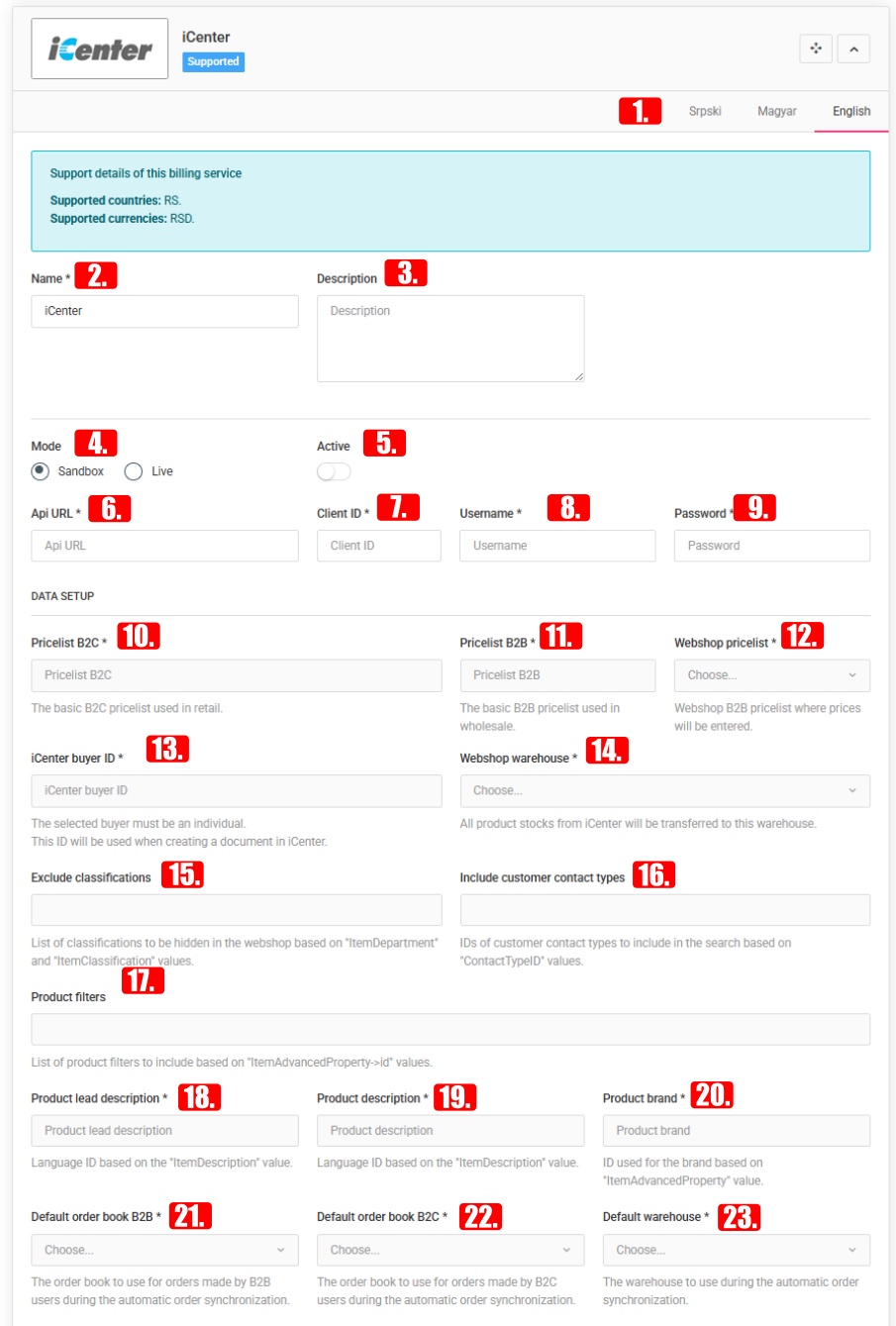
MonolIT ERP
An enterprise management system developed by Bus Computers: for managing finance, warehousing, logistics, accounting and other business processes.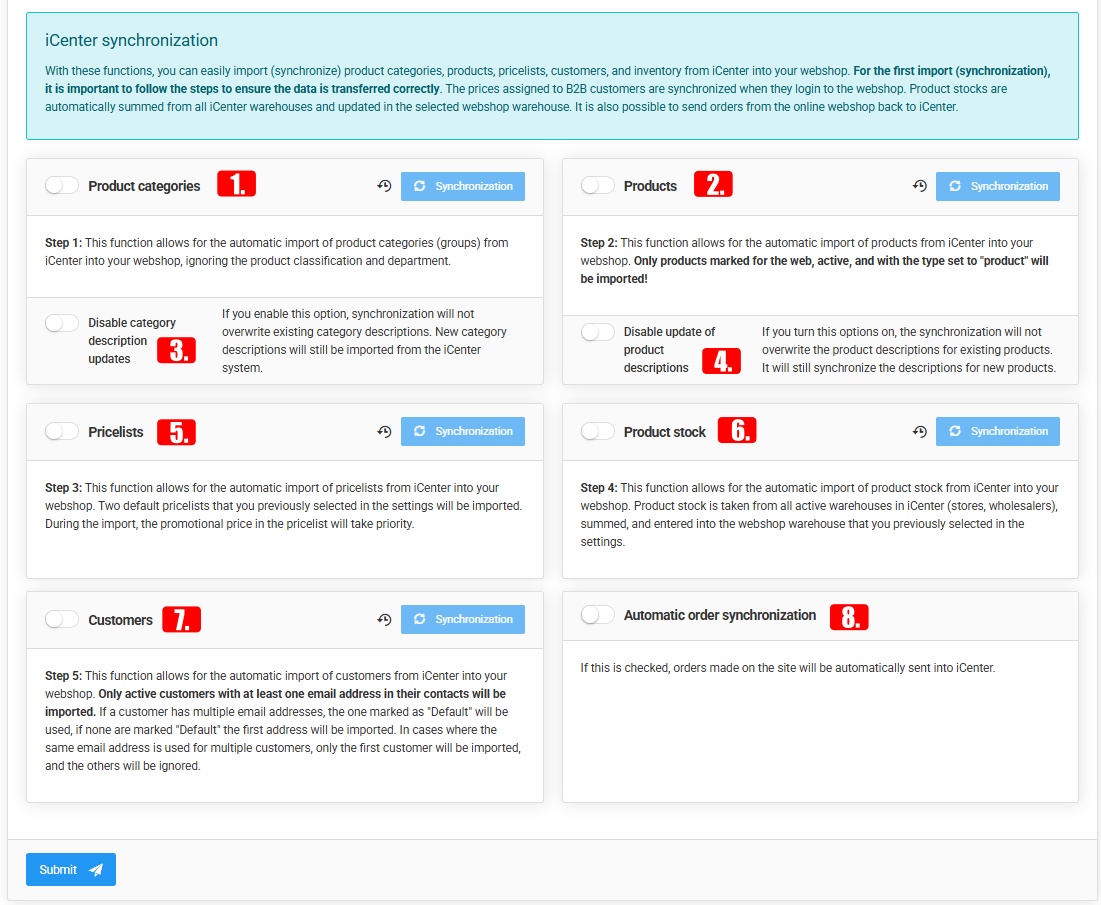
Name, Description, Mode, Active - the usual language-specific and status fields.
Additional fields required to set up the connection: Warehouse, Retail pricing, Wholesale pricing, Partner code, Status ID, Salesperson ID, ID of the person issuing the goods.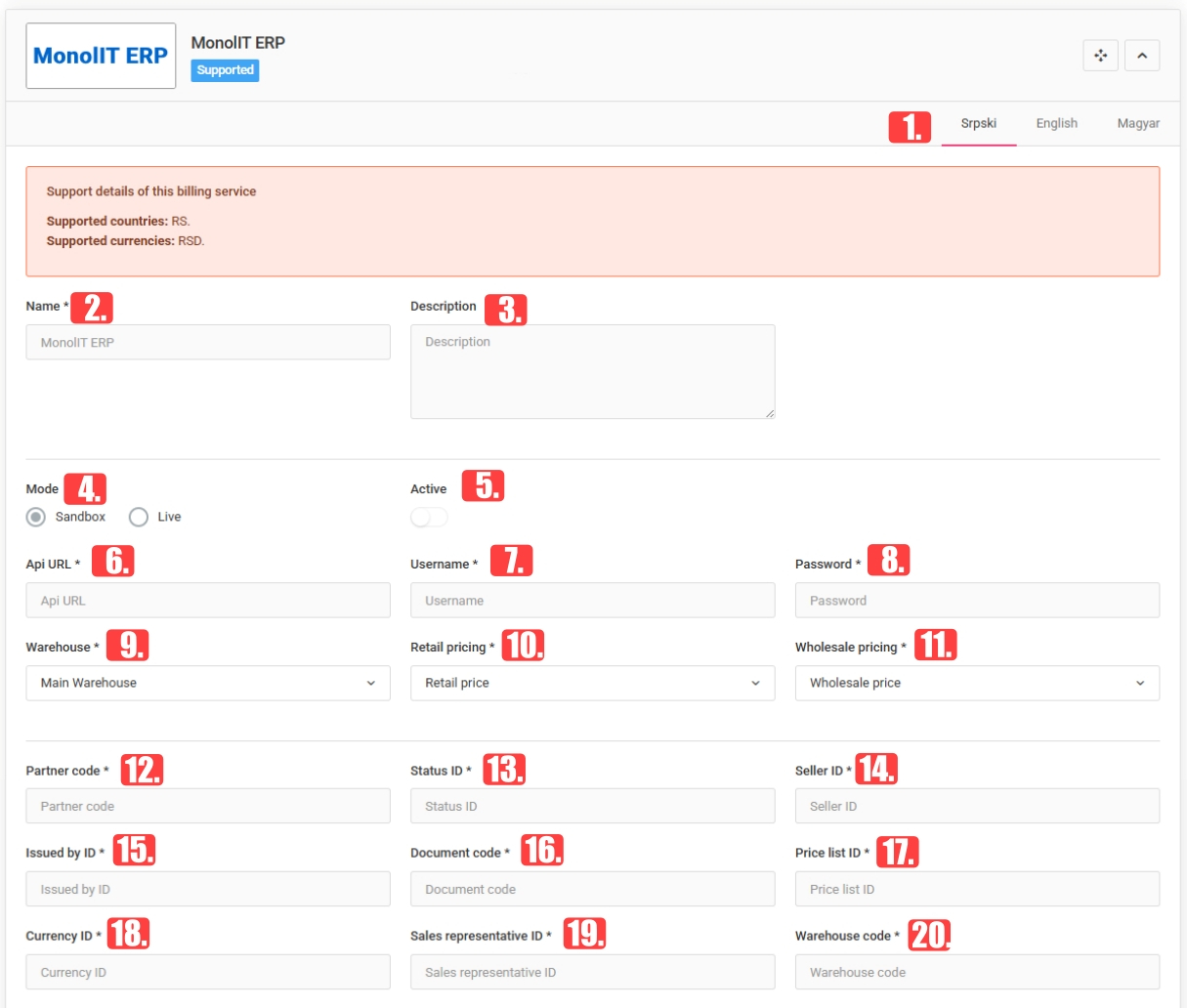
Synchronizable: Manufacturers, Categories, Users (customer data and permissions), Products (product description update can be disabled, synchronization language selectable), Multi-warehouse stock synchronization, Automatic order synchronization.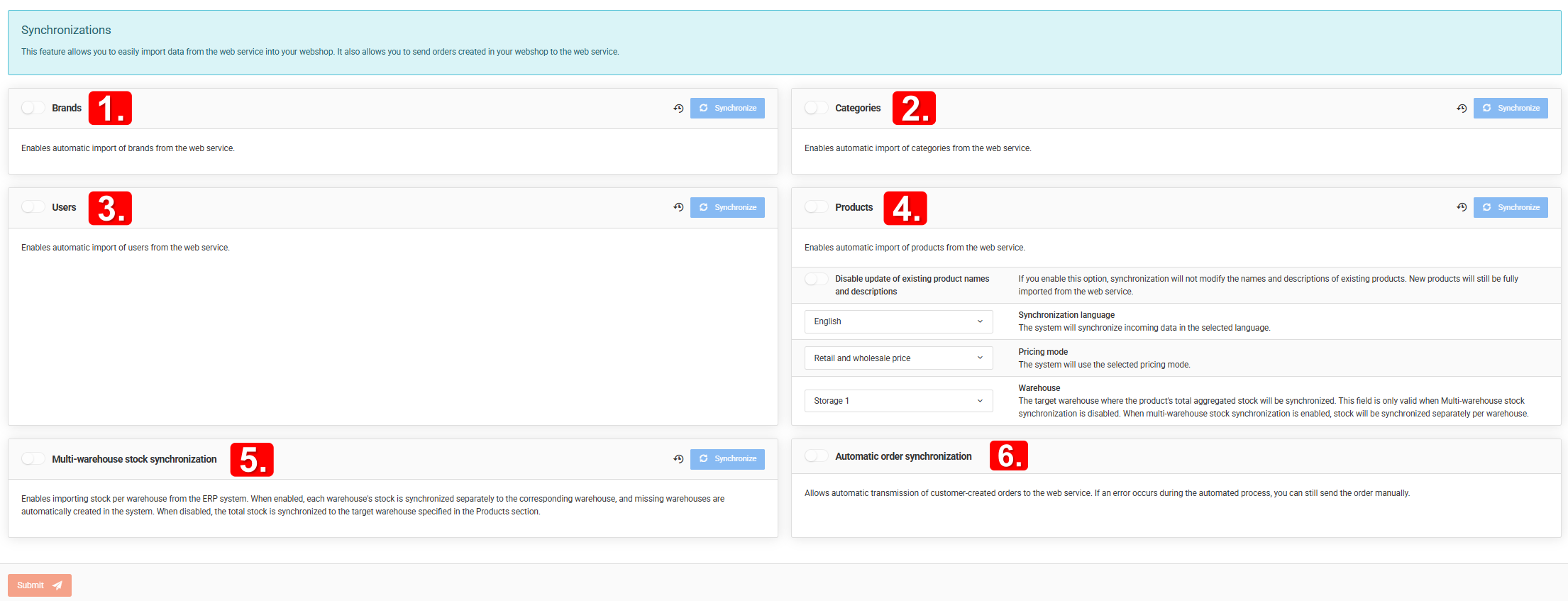
Profit Soft ERP
Flexible business software solution for simplifying financial, inventory and other processes.
Name, Description, Mode, Active, API key, URL - basic settings.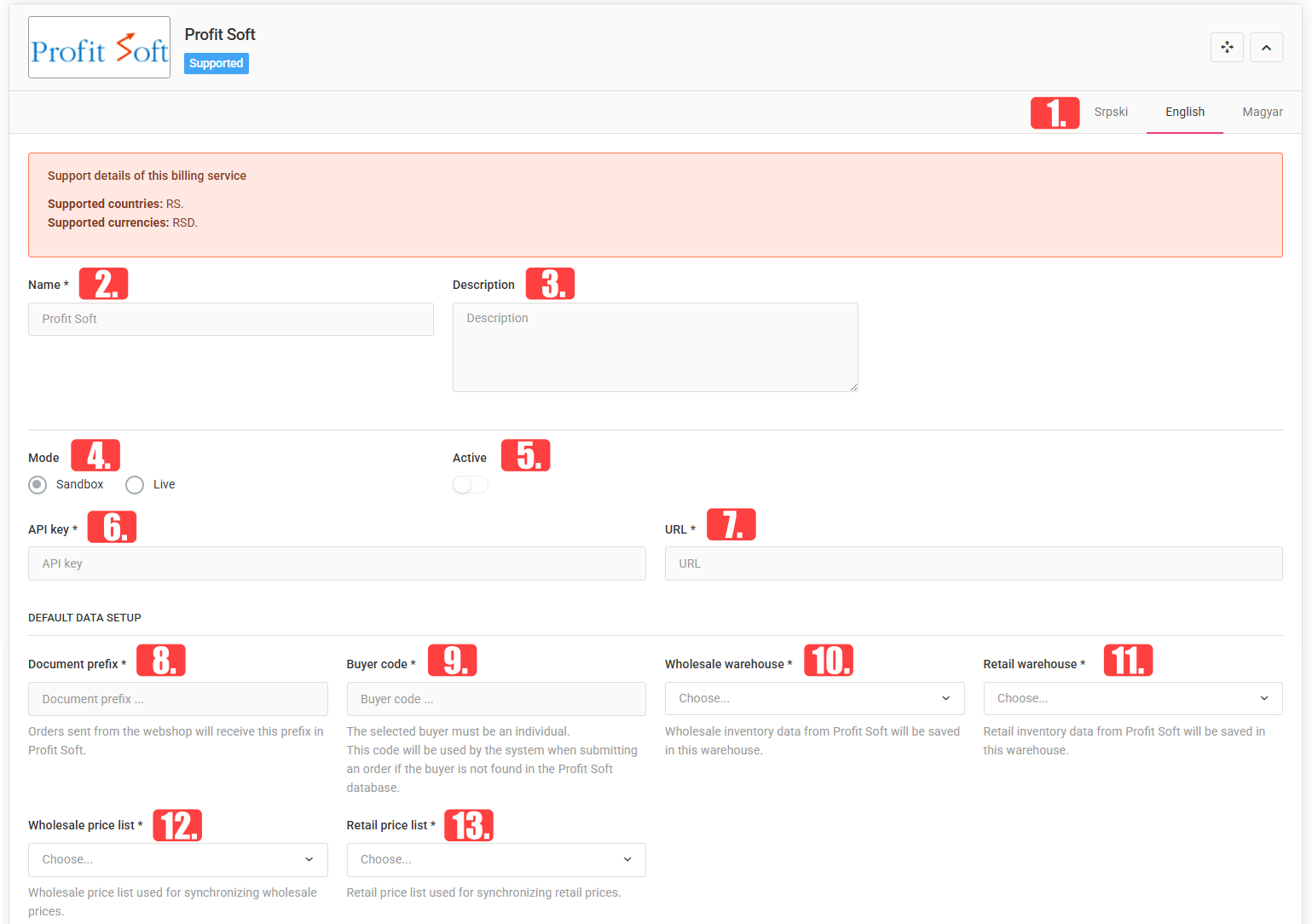
Webshop warehouse, Wholesale price list, Retail price list - the settings required for synchronisation.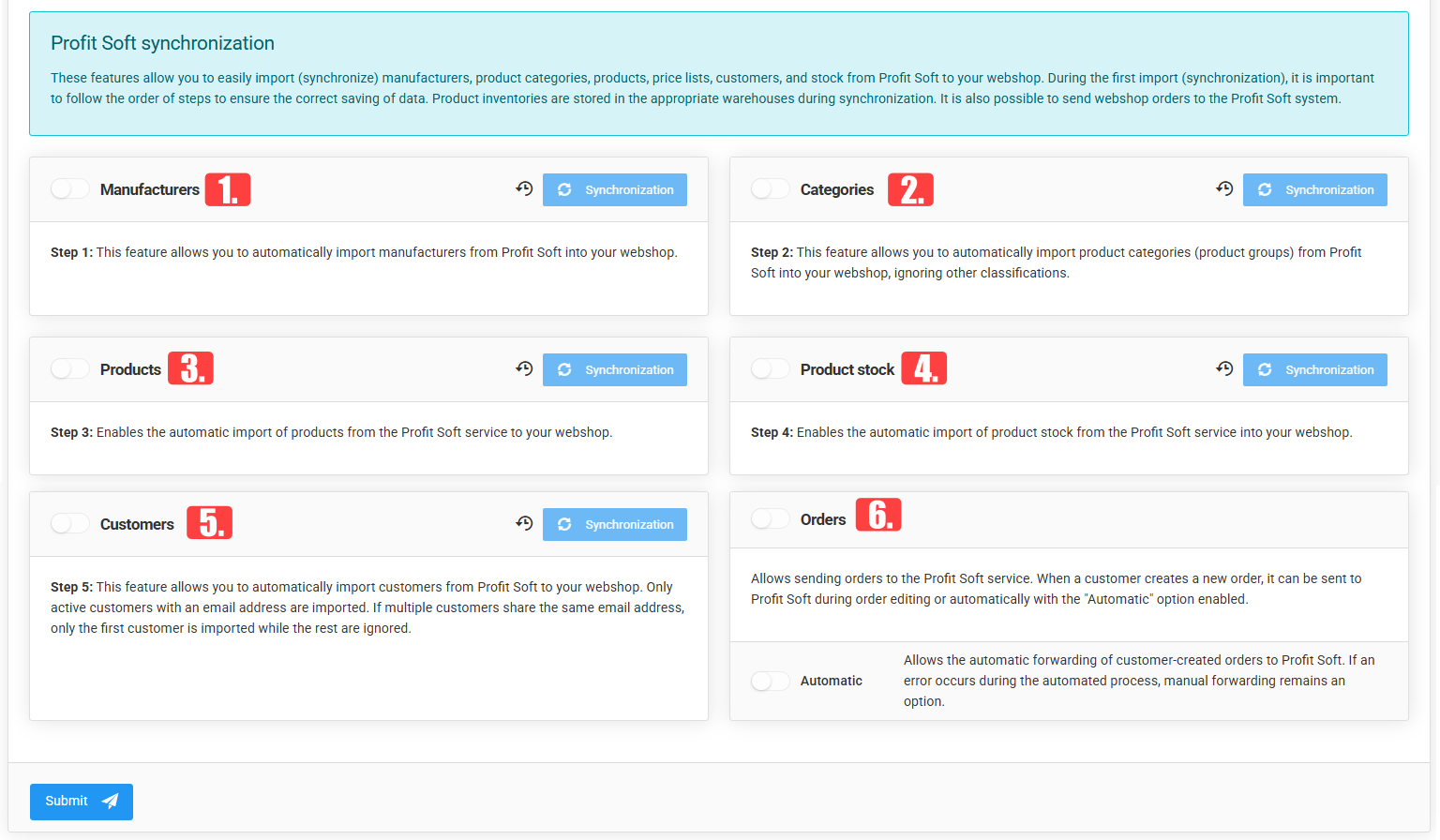
Synchronizable: Manufacturers, Categories, Products (product description update can be disabled), Product stock (continuous automatic synchronization), Customers, Orders (automatic).
TopCode
Name, Description, Mode, Active, Username - basic settings.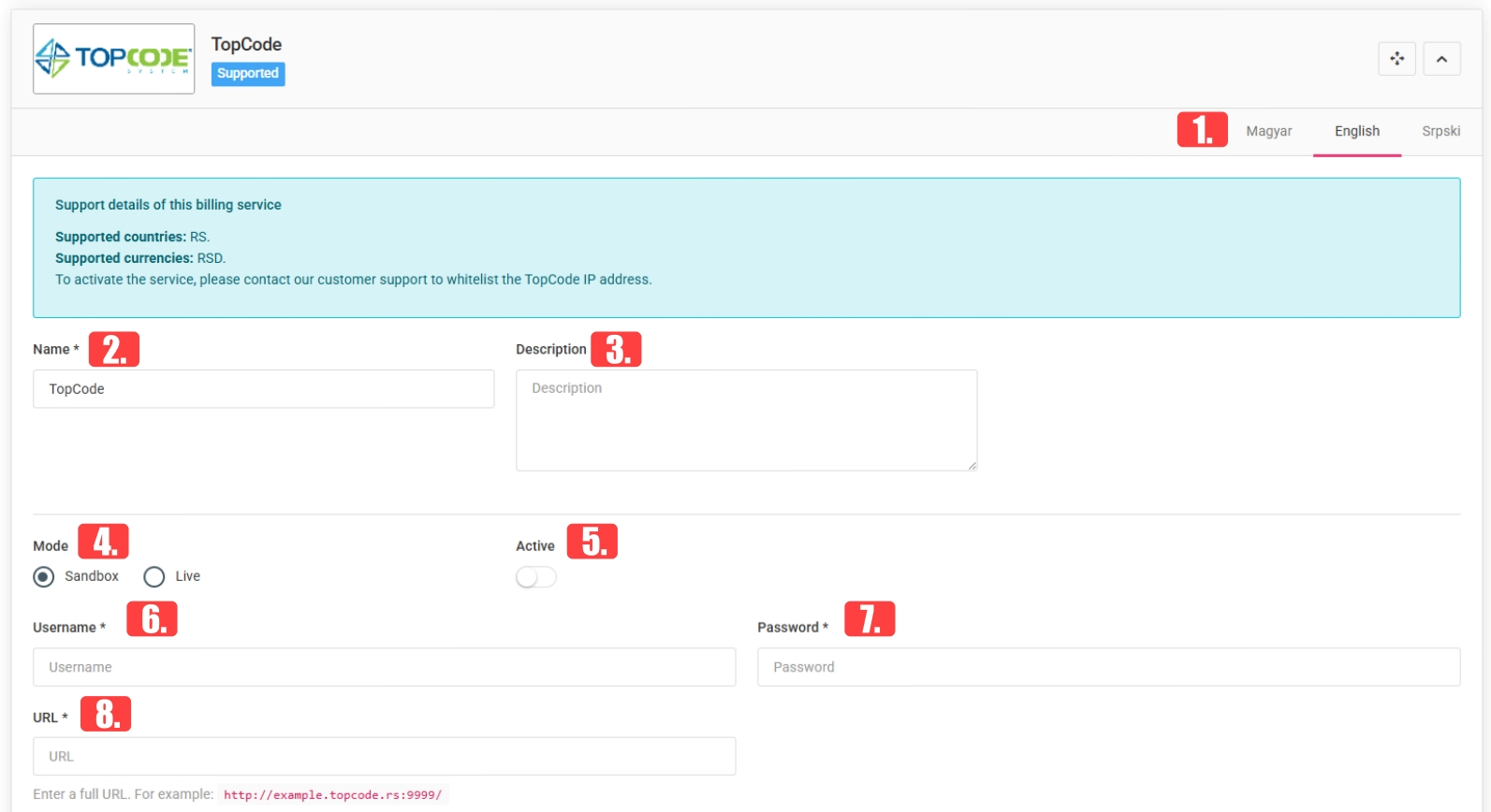
Warehouse management: One warehouse - the aggregated quantity of all connected TopCode warehouses is synchronized into a single webshop warehouse. Multiple warehouses - the quantities of the individual TopCode warehouses can be synchronized into separate webshop warehouses. Warehouse, TopCode warehouse identifiers, Warehouse pairs - the settings required for linking and synchronizing the warehouse stocks.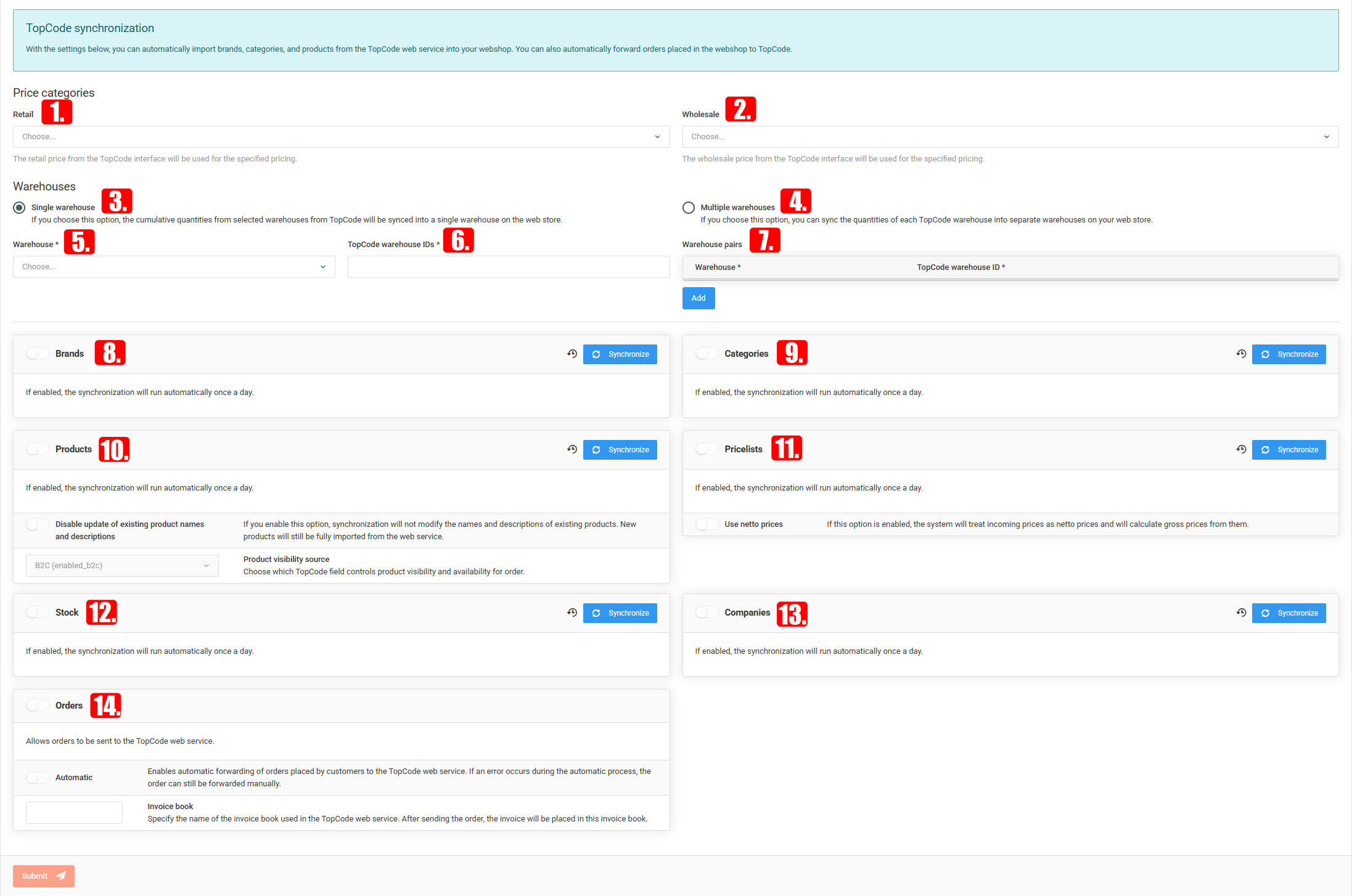
Synchronisable: Manufacturers, Categories, Products (product description update can be disabled during synchronisation).