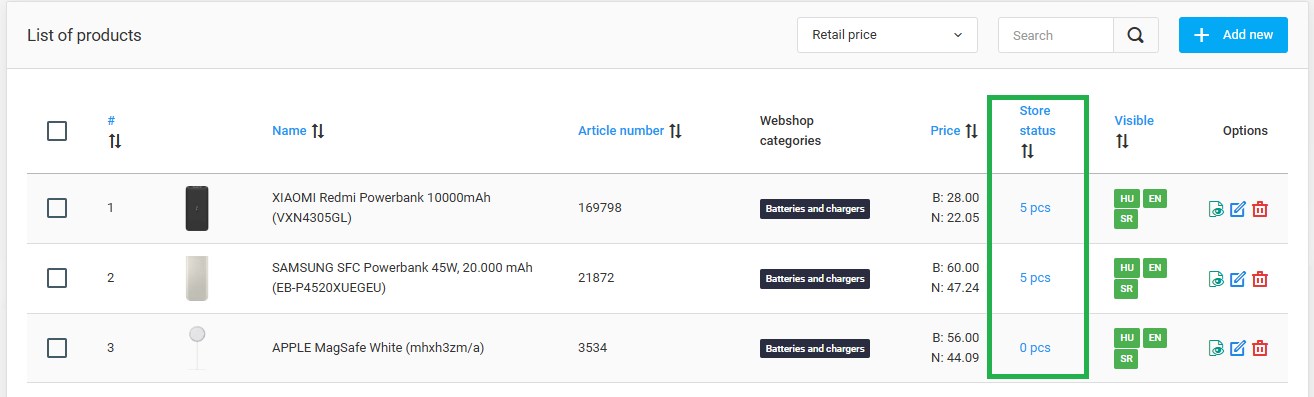
Online store owners now have the ability to receive instant feedback on product stock levels directly from the product listing administration page.
No more need to switch back and forth between the product list and inventory pages. The newly added "Stock Status" column provides an instant overview of the total stock of products directly in the product list.
If you need more detailed information about how many units of a specific product are available in each warehouse, simply click on the total displayed in the "Stock Status" column next to the product on the Products page. A pop-up window will provide a detailed breakdown of the stock levels across your warehouses.