In the new version of Sellvió, we provide website users with the ability to save product data in PDF format when visiting the product page. The advantages of this feature are as follows:
Offline access: Customers can conveniently review product information after downloading, without an internet connection. Printer-friendly format: Users can print the PDF for reference or to compare products. Trust and credibility: Offering comprehensive data shows transparency and builds trust. Customer satisfaction: Satisfying the needs of customers who want detailed information in a printable format.
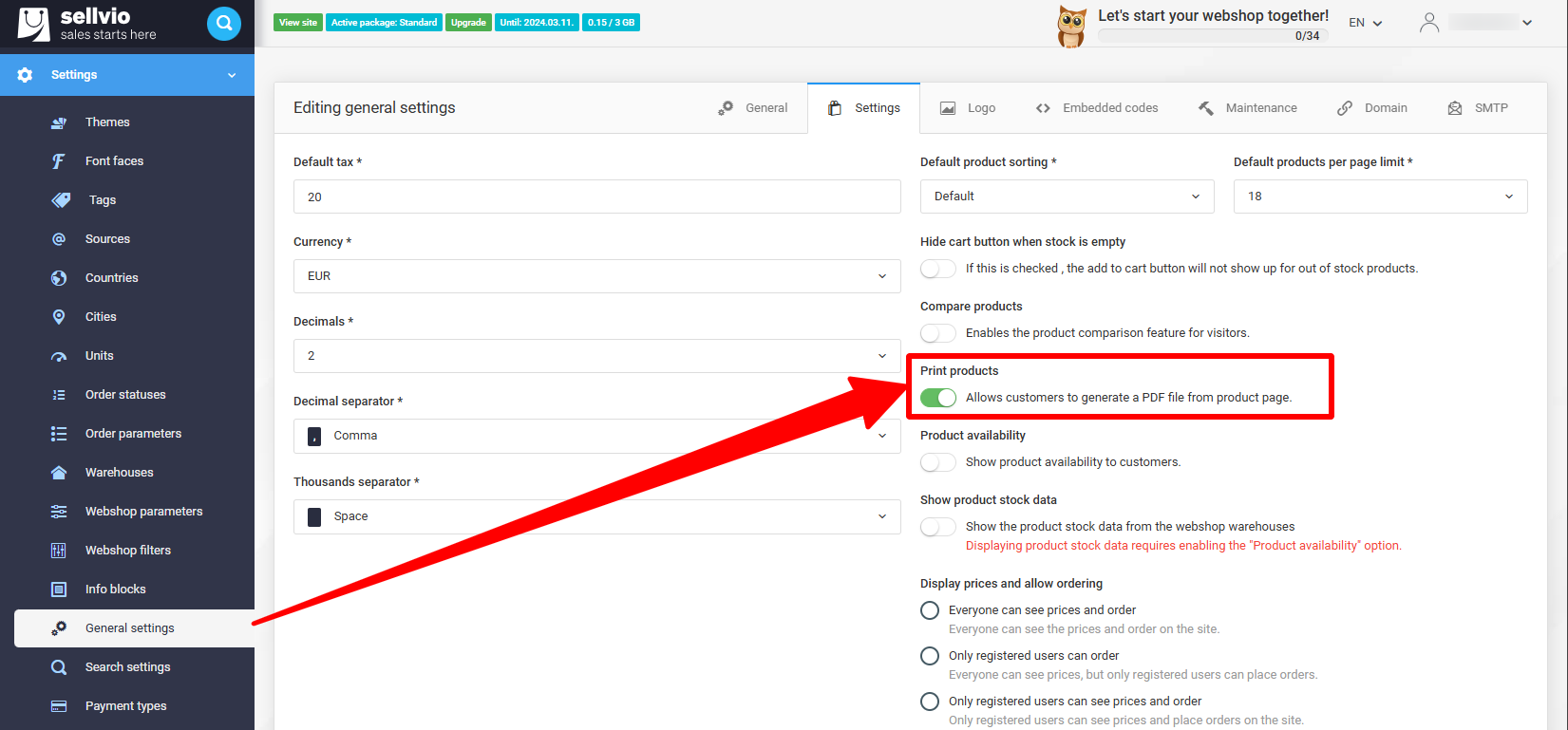
The product printing feature can be enabled in the administration interface under Settings -> General Settings, on the Settings tab, by turning on the Print Products switch.
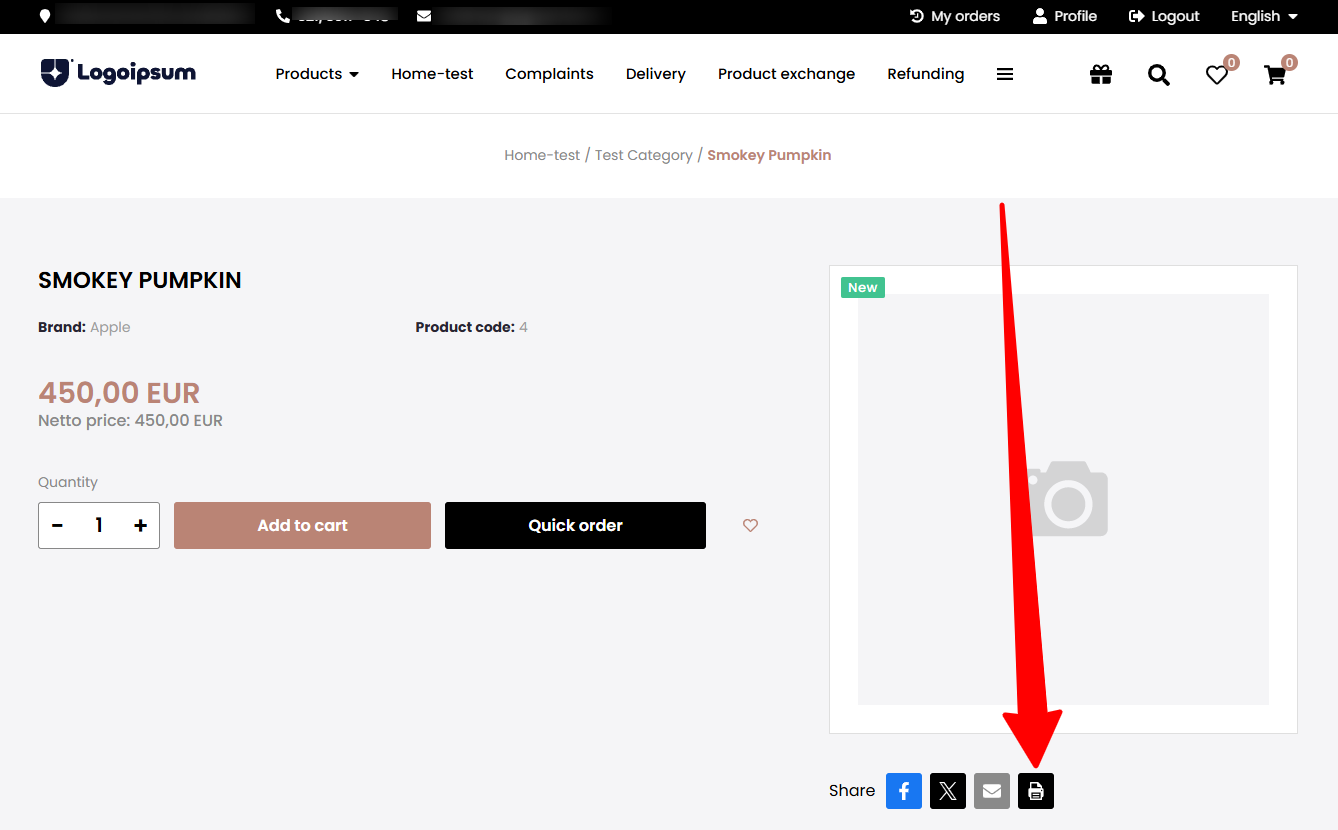
Once the function has been enabled, you need to open a product on the website and click the Print button that appears as the last item in the Share buttons to save the data of the given product in PDF format.